
Edit game font in any screenshot.
Same typeface. No modding.
Change HUD labels, menu items, skill names or a title screen — the AI samples the game’s own lettering from the pixels and re-renders your words in it.
No credit card required to start. Sign in for a free edit.
By clicking Generate, you confirm you own or are licensed to edit this image and that the edit is not intended to deceive a third party — including fake refund or transaction proofs and email or chat screenshots altered to falsify sender, content, or timestamp.
We do not process IDs, passports, certificates, bank records, receipts, payment proofs or chat screenshots. See our Acceptable Use Policy.
To edit game fontin a screenshot, upload the image, type the text as the game shows it and the replacement, and the AI re-renders just those words in the game’s own typeface — outline, shadow and spacing included. Nothing in the game is modified; only the picture changes. Usually one phrase at a time, first edit free.
Three real reasons to edit game font in a screenshot.
Each of these is a moment where the game itself is fine and only the picture of it is wrong — the case where rebuilding the scene in-engine costs a day and editing the image processing time varies.
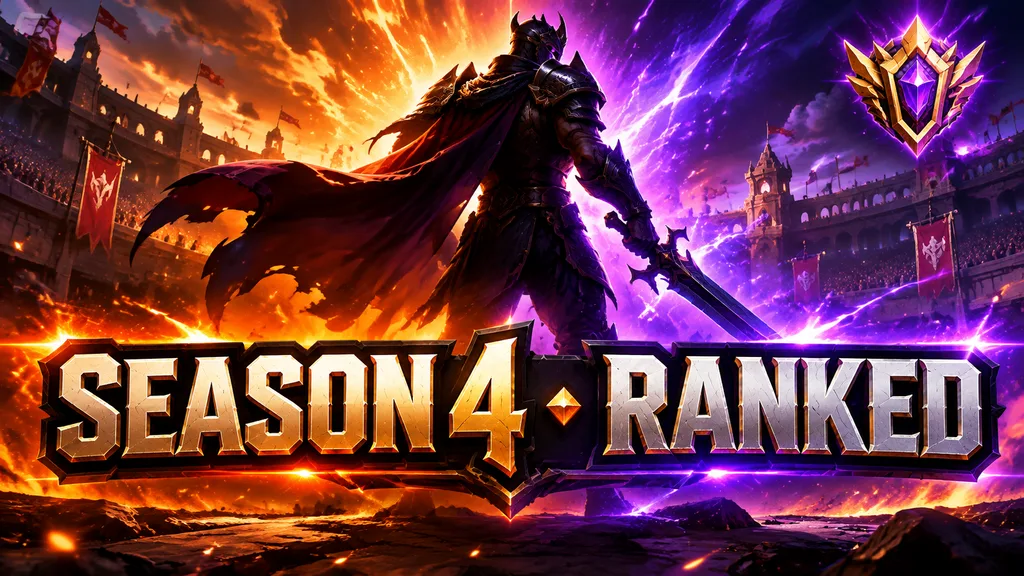 Before
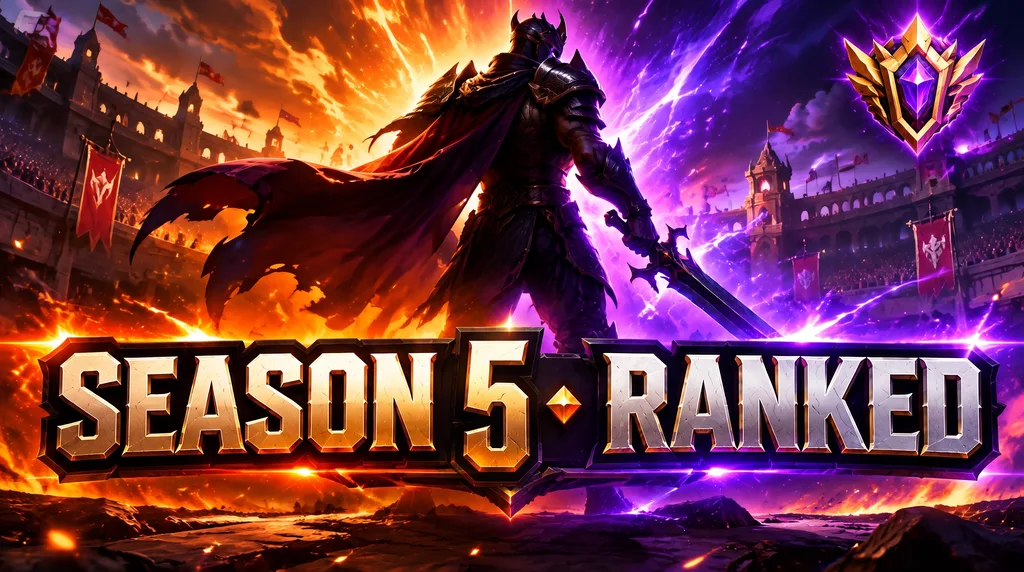 After
Edit game font on a YouTube thumbnail without rebuilding the frame
The clip is captured, the thumbnail is cropped, and the HUD in the shot still reads the old patch's ability name — or your channel handle from two rebrands ago. Recreating the game's HUD lettering in Photoshop means identifying a font that was never shipped publicly. Type what the screenshot says and what it should say: the AI samples the game's own glyph shapes, weight and outline from the pixels and re-renders only those words, leaving the scene, the HUD frame and the compression artifacts exactly as captured.
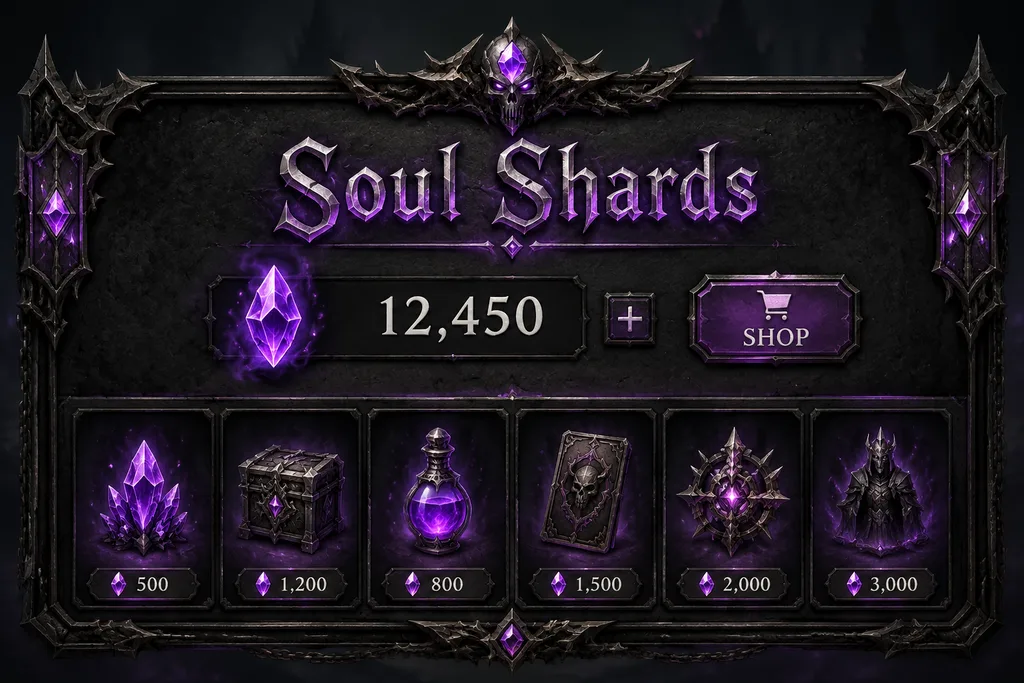 Before
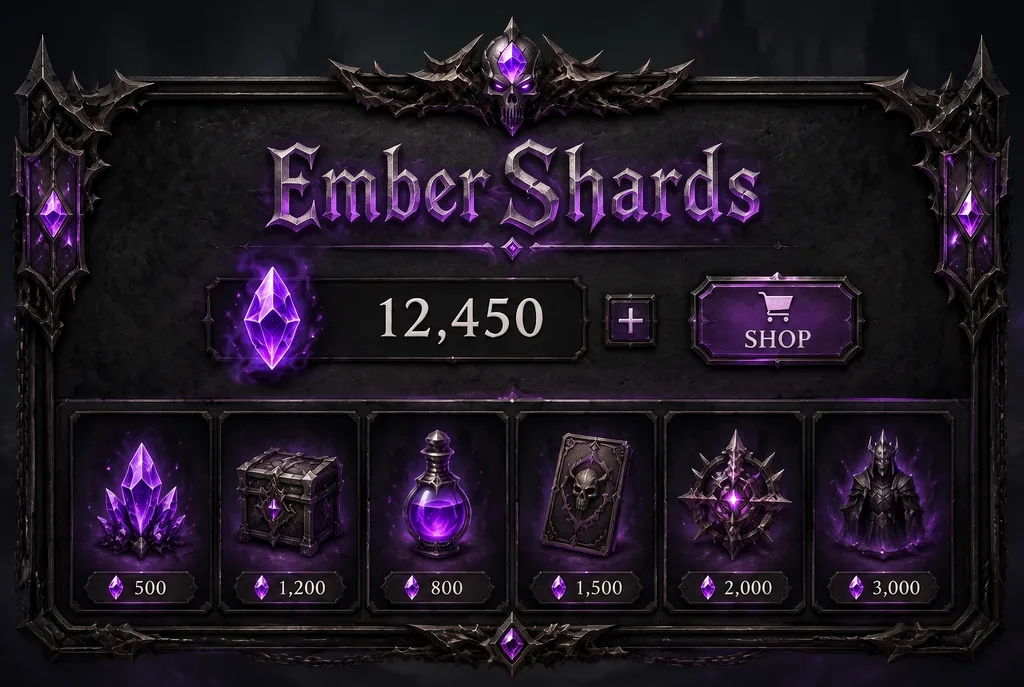 After
Edit game font in UI mockups for a build you haven't shipped yet
You are pitching a rename — a skill, an item, a currency, or a game mode — and an edited screenshot can make the idea easier to review. Enter one existing label and its replacement, then compare the result with the source. Check outlines, shadows and nearby UI at full size before using the mockup in a presentation.
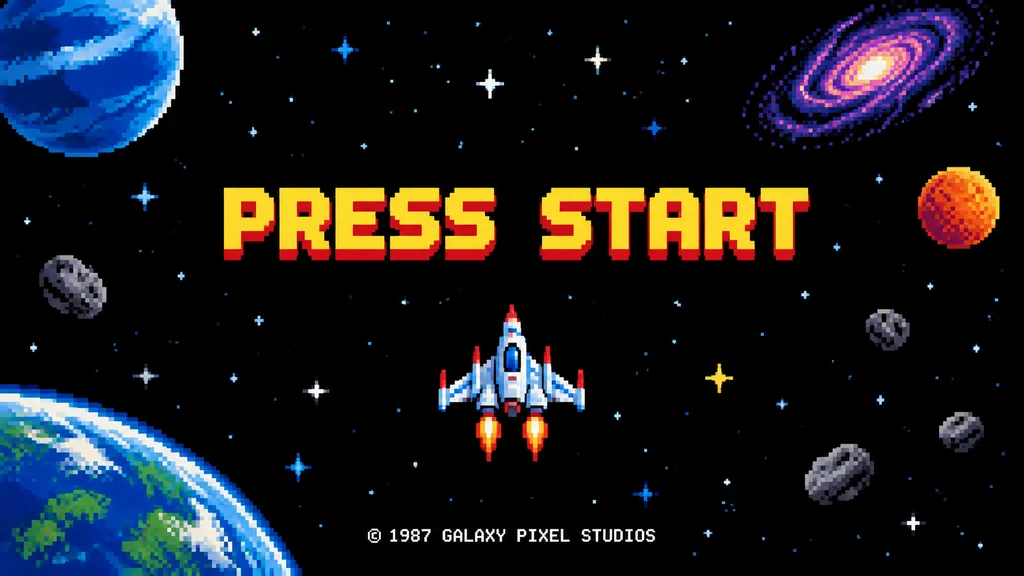 Before
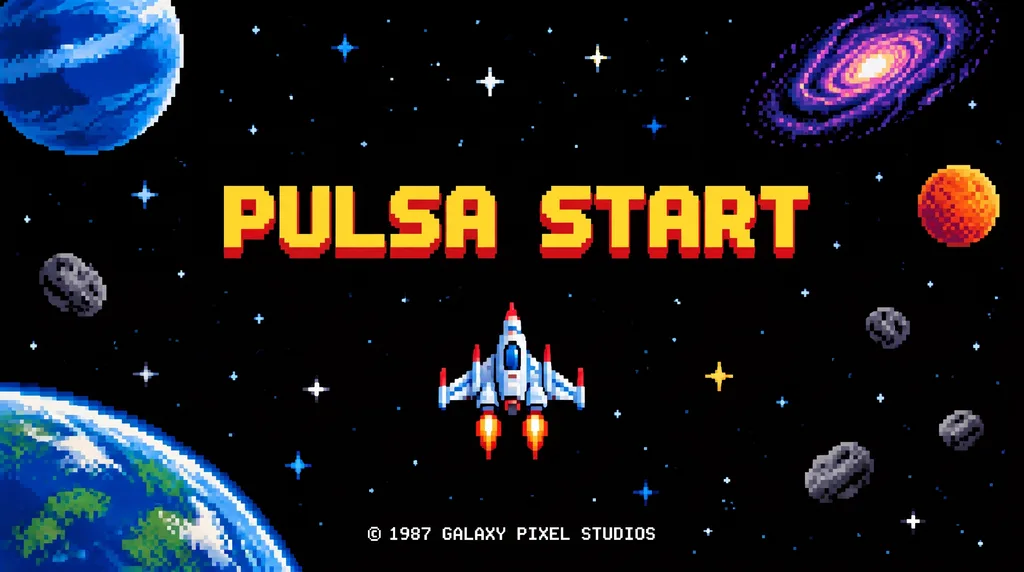 After
Edit game font for localized store screenshots and patch notes
Steam, the App Store and Google Play all want screenshots in every language you sell in, and the text in those shots is baked into the image. Your localization pipeline covers strings inside the build, not the marketing captures you shot last year. Edit the game font in the finished screenshot per language — the translated line lands in the same in-game typeface, the same drop shadow, the same panel — and the store listing stops looking half-translated.
What does it mean to edit game font in an image?
To edit game fontis to change the words rendered in a game’s own typeface inside a finished screenshot, without touching the game and without owning the font. The AI samples the lettering already in the image — glyph shapes, weight, letter spacing, fill gradient, outline thickness, drop-shadow offset, even the softening that video compression added — then inpaints the old characters out and draws the new ones with those same properties. The HUD frame, the scene behind it, the particle effects and the rest of the interface are intended to remain visually consistent. That matters more in games than almost anywhere else: game typography is usually a commissioned display face that was never released as a font file, so the traditional path — identify the font, license it, recreate the bevel and outline, match the compression — either fails or eats an afternoon per label. Editing game font from the pixels sidesteps all of it. Compare the result with the original before publishing; AI can change surrounding details.
Why this page renders game font differently from the rest of the site
Hard-edged game lettering makes small rendering errors conspicuous. Flat colour, narrow keylines and tiny HUD labels can show softened edges or changed spacing after an AI edit. Start with a sharp screenshot, change one label at a time and compare at full size. EditText has not published comparative benchmarks for these examples; the illustrated references are not a guarantee of a particular result.
So this page opens on Pro, the 2K editing tier available to accounts with a paid credit pack. It uses 1 credit per submitted edit. Fast uses the 1K editing tier and also costs 1 credit. New accounts receive one free credit to try it. Download PNG, or JPG when available, and check the image dimensions and lettering before publishing.
Who needs to edit game font, and why in-place wins
- ·Content creators. Thumbnails, channel art and video end cards where the HUD in your captured frame names an old patch, an old season or an old handle. Edit game font on the frame you already picked instead of hunting for a new capture that composes as well.
- ·Studios pitching a rename. Renaming a skill, item, currency or mode is a design decision that reads very differently as a real screenshot than as a line in a doc. Produce the mockup without a branch, an asset pass and a fresh capture.
- ·Store and patch-note localization. Your build’s strings are localized; the screenshots you shot last year are not. Edit game font per language on the finished captures so the listing stops looking half-translated, with dimensions preserved for each store’s requirements.
- ·Fan translation and modding showcases. Show what a translation patch or a UI mod will look like before building it. The mockup uses the game’s real typography, so reviewers judge the wording rather than your placeholder font.
How to edit game font — 3 steps.
FAQ — edit game font
How do I edit the game font in a screenshot?+
Upload the screenshot, type the text exactly as it appears in the game, type what it should say, and click Generate. The AI reads the game's typeface straight out of the pixels — glyph shapes, weight, letter spacing, outline, drop shadow, the slight blur that compression added — and re-renders your new words with the same properties. Everything else in the frame stays as captured. processing time varies and the first edit is free.
Can I change the font in a game screenshot without modding the game?+
Yes — that is the whole point. This edits the image, not the game. You never touch game files, no font mod, no asset extraction, no launcher warnings, nothing that could trip an anti-cheat system. If what you need is a picture of the game saying something else — a thumbnail, a mockup, a localized store screenshot, a patch-note graphic — editing the screenshot is both faster and safer than modding.
When I edit game font, will it keep the original typeface or substitute something generic?+
It keeps the original. Game typography is usually the hardest kind to match by hand: bespoke display faces commissioned for the title, heavy outlines, gradient fills, bevels and per-glyph distortion that no font file reproduces. Because the AI samples the lettering already in the image rather than picking from a font library, you get the game's own look back — including the outline thickness and shadow offset that make a fake edit obvious when they're wrong.
Can I edit game font when it's a pixel or bitmap font?+
Usually, with a caveat worth knowing up front. Chunky pixel fonts at a large on-screen size reproduce cleanly. Very small bitmap text — a 6 or 8 pixel-tall font in a retro UI, where every single pixel carries a letter's identity — is the hardest case in the whole tool, because there is no sub-pixel room to redraw a glyph. Upload the highest-resolution capture you have (a native-resolution screenshot, not a photo of a monitor or a re-compressed Discord upload) and edit one label at a time.
What resolution do I get when I edit game font, and is it real detail?+
Fast uses the 1K model tier; a paid credit pack unlocks Pro at 2K. Both modes cost 1 credit for a submitted edit, with a failed generation refunded. The exact output dimensions depend on the image aspect ratio and provider response. EditText does not offer a 4K tier or promise a particular native-rendering method. Inspect small game lettering at full size: a larger output alone does not guarantee a more faithful font match.
My banner or ultrawide capture is very long and narrow — does that work?+
Pro accepts aspect ratios between 1:3 and 3:1. Very wide banners or tall strips outside that range should use Fast. Check the dimensions of the downloaded result before placing it in a store listing or game mockup; EditText does not promise that every upload will return at its original pixel dimensions.
Can I edit the game font in a Steam capsule, banner or Twitch overlay?+
You can edit supplied text on your own store capsules, key art, panels or banners. The model aims to retain the composition, but exact dimensions and surrounding details are not guaranteed. Compare the result and check the current store requirements before submission; resize or use the original layered artwork when exact delivery dimensions are essential.
How is this different from a game font generator?+
A game font generator gives you a font that looks like a game's — you then have to lay out, colour and place the text yourself, and match it to a background. This does the opposite: it takes an existing image and swaps the words inside it, keeping the placement, perspective and lighting that were already there. If you are making new art from scratch, you want a font. If you have a screenshot that needs to say something else, you want this.
What am I not allowed to edit?+
Don't fabricate things people are meant to rely on: ranks, scores, leaderboard positions, account stats, in-game purchase receipts or refund screenshots presented as genuine — that is fraud when it's used to sell an account or claim a prize, and it's prohibited. Game art and UI are the publisher's copyright: edit screenshots for commentary, review, fan work, localization or your own project, and get permission for commercial use of someone else's game. See our Acceptable Use Policy for the full list.
how do i edit text in a png image for free?+
You can edit text in a PNG image for free using online tools that automatically maintain the original font and style. EditText is one such tool that works efficiently without requiring a download or subscription. To start, you simply upload your PNG image to EditText, which supports files up to 10 MB. It uses generative inpainting to replace the words while preserving the background seamlessly. Unlike manually editing in software like Photoshop, which can be more complex and require font matching, the tool uses the surrounding area to intelligently guess the text style. Another option is Pixlr, a free online photo editor that also allows text editing within images, though it may require more manual input to achieve the same font and style consistency. Pixlr offers a range of tools similar to traditional desktop software and supports layers and advanced editing. After editing, ensure to save your work in the PNG format to maintain transparency, which is a notable feature of PNG files thanks to their alpha channel preservation. This ensures no loss of quality or unwanted background when the edited image is used elsewhere.
how do i edit text in a jpg image online for free?+
Editing text in a JPG image online for free is possible using tools like EditText and Photopea, which allow you to modify text without downloading any software. The tool offers an easy-to-use web interface where you can upload your JPG file, and it automatically detects and replaces text while preserving the original font, color, size, and background. This tool uses generative inpainting, a process that fills in text areas by sampling the surrounding pixels and ensuring that the edited text blends seamlessly with the existing image structure. The result is a high-quality edit without obvious signs of alteration. Photopea, on the other hand, simulates many of Photoshop’s features online, allowing for more manual control but requiring a bit more design skill to match font styles manually. The tool is more automated and outputs 2K results within about 30 to 60 seconds, making it ideal if you need quick and consistent edits. Both tools are free, but Photopea may require you to deal with ads unless you opt for a paid version. If you intend to further edit the image, consider saving it in PNG format to avoid lossy JPEG recompression artifacts.
why does text look different when i edit a png image?+
Text can look different when editing a PNG due to several factors, including subpixel rendering and the availability of system fonts. When you modify text in an image, the rendering might not replicate the original due to differences in how text is displayed on different devices and applications. Subpixel rendering is a technique that uses the individual pixels of an LCD screen to increase the apparent resolution of the text. However, this means that any change or movement of the text can lead to differences in appearance, especially when viewed at different resolutions or zoom levels. Additionally, if your editing tool uses a different font library than the one used to create the original text, discrepancies can occur. For instance, Adobe Fonts and Google Fonts have different sets of available fonts, which can lead to unexpected outcomes when the exact match isn't available. Using tools like EditText, which are specifically designed to match the original font closely, can mitigate these differences. It analyzes the image and selects the closest possible match in terms of weight, size, and style, ensuring a more seamless integration. To maintain color accuracy and text fidelity, it's important to save the edited image in a format that supports alpha channel preservation, such as PNG.
what's the best free image text editor?+
The best free image text editor depends on your specific needs, with EditText being an excellent choice for quick text edits while preserving original styles. This tool specializes in replacing text in images without altering other elements, making it ideal for those needing precise text updates. The tool works by sampling surrounding text attributes and can edit images up to 10 MB in formats such as JPG, PNG, and WebP. It provides results at 2K resolution within approximately 30 to 60 seconds. For broader image editing capabilities, consider using Canva, which includes a range of design tools and templates but might require manual adjustments to ensure text consistency with the original. Both the tool and Canva operate in-browser, negating the need for software installation and ensuring accessibility from any device, whether you're on a Mac, Windows, or even mobile platforms. Canva offers more extensive design features, which could be beneficial if you're working on complex projects or presentations. For those focused on text editing precision, the tool's automatic text style sampling provides a significant advantage in ensuring style consistency, making it a strong candidate as a specialized tool.
what's better for editing text in an image, canva or photopea?+
When deciding whether Canva or Photopea is better for editing text in an image, it depends on the complexity of the task and the style preservation required. Canva is known for its ease of use and template-based design, offering a straightforward way to add and edit text, though it might not perfectly match existing font styles on images unless the exact font is available in their library. Photopea, on the other hand, is a more advanced tool that replicates many features of Adobe Photoshop and supports complicated edits like maintaining the original font style, size, and color more precisely, provided you know the exact settings to replicate. While Canva excels in creative design and quick edits, Photopea provides greater control over manual adjustments and intricate style matching, which is essential for graphic designers familiar with layer-based editing. For quick, template-driven tasks or design creation from scratch, Canva is a strong choice. If maintaining the integrity of existing text styles within an image is crucial, Photopea may offer better fidelity. Users looking for a balance between these two might consider EditText, which simplifies maintaining original text styles in place using AI-based detection without needing advanced editing skills.
“How do I change the text in a game screenshot while keeping the game's own font?”
The same in-place edit for app and desktop captures — system fonts, status bars and window chrome instead of HUDs and menus.
For the headline you add on top of the gameplay frame, rather than the game font inside it — retitle a thumbnail without reopening the design file.
Where game edits cross the line: faked ranks, scores, leaderboard positions and purchase receipts are prohibited, and the publisher’s art stays the publisher’s.
Further reading
- SteamworksSteam store asset guidelines↗
Valve's documentation for capsules and store art. Check the downloaded image against the current store dimensions and legibility requirements before submitting an edited asset.
- UnityTextMesh Pro font assets↗
How game text is actually rendered — signed-distance-field atlases, per-material outlines, bevels and shadows applied at draw time. Useful background for why a game's on-screen lettering usually cannot be reproduced from any font file you can download.
- Game Accessibility GuidelinesReadable default font size↗
The industry reference on legible in-game type, maintained by a group of studios and specialists. Worth reading before you replace a UI label with a longer string — the guideline explains the size and contrast floors your edited mockup should still respect.