
Edit text in thumbnail.
Test 5 headlines in a few minutes.
No credit card required to start. Sign in for a free edit.
By clicking Generate, you confirm you own or are licensed to edit this image and that the edit is not intended to deceive a third party — including fake refund or transaction proofs and email or chat screenshots altered to falsify sender, content, or timestamp.
We do not process IDs, passports, certificates, bank records, receipts, payment proofs or chat screenshots. See our Acceptable Use Policy.
Why the words on a thumbnail are worth testing.
A thumbnail headline is one part of how viewers understand a video. Testing different wording on your own artwork can help you evaluate what works for your audience, but EditText has no measured click-through improvement to promise. Make one supplied phrase change at a time, inspect the image, and use the platform’s testing tools where available. Keep the words truthful to the content.
The math is brutal. A jump from 4% CTR to 8% on a video that eventually earns 100,000 impressions doubles your views from 4,000 to 8,000 — without any new video work. TubeBuddy and VidIQ both surface historical CTR per thumbnail variant inside their Pro dashboards, and the difference between best and worst variant is routinely 30–80%. Manually rebuilding the design in Canva or Figma for each variant takes 5–10 minutes; a tool that lets you edit text in thumbnail directly on the finished image processing time varies per variant. That is the difference between testing 2 headlines and testing 8.
The catch is that re-rendering the headline in Canva or Photoshop almost never matches the original typography exactly. The font you used last week may not be installed on this device, the brand color shifts in CMYK→RGB conversion, the drop shadow gets re-applied a touch heavier, and now your “same image, different words” A/B test is actually testing two slightly different designs. AI in-place editors solve this by sampling the original typography pixel-for-pixel and re-rendering with the same weight, color and shadow — which is the entire reason this page exists.
Edit text in thumbnail is the cross-platform headline editor for YouTube, TikTok and Instagram cover images — A/B test copy variants on the same photo without re-rendering the PSD or re-encoding the video. Engagement metrics stay attached to the original post.
Three real thumbnail changes.
Each one is a workflow real creators run weekly — the only difference is whether they spend 10 minutes per variant in Canva or a variable processing time per variant in EditText.
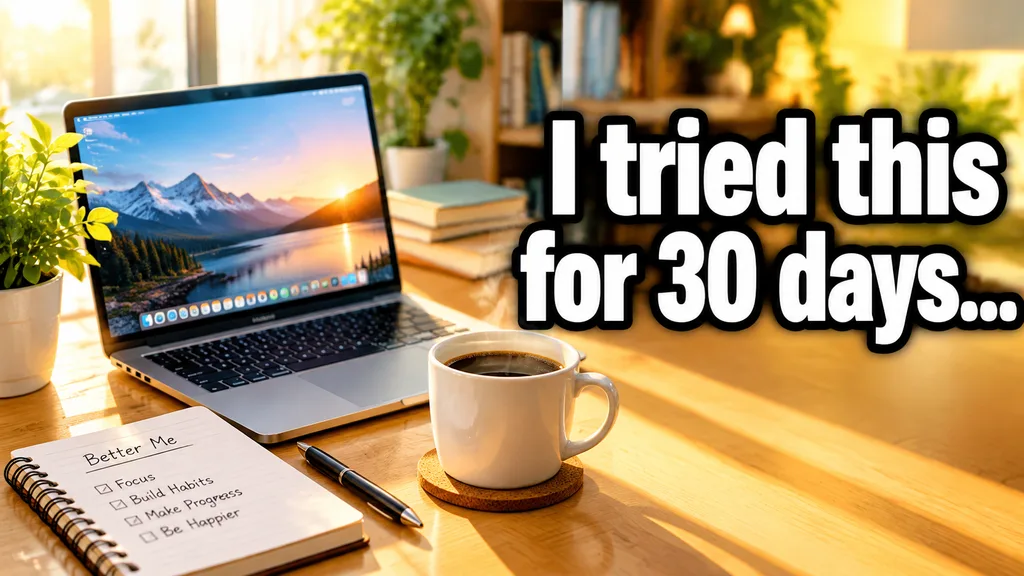 Before
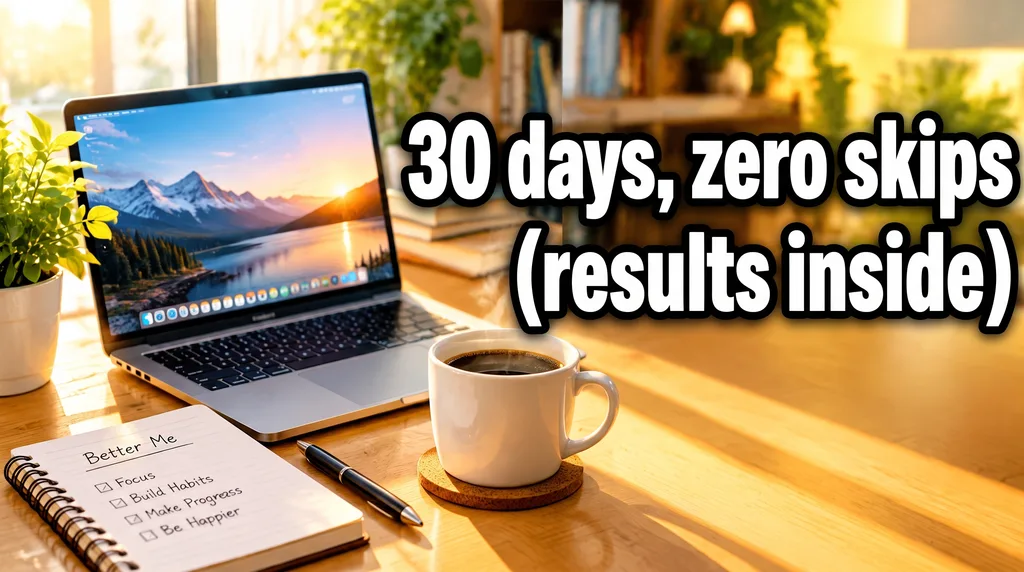 After
A/B test five YouTube headlines on the same image
Your video is uploaded but the thumbnail isn’t hooking anyone — CTR is stuck at 3.2%. Instead of re-shooting the photo or rebuilding the design in Photoshop, type the current headline, type a new one, and ship variant 2 after processing. Repeat 4 more times. YouTube Studio rotates them automatically, and within 24 hours you can see which headline doubled your impressions-to-views ratio.
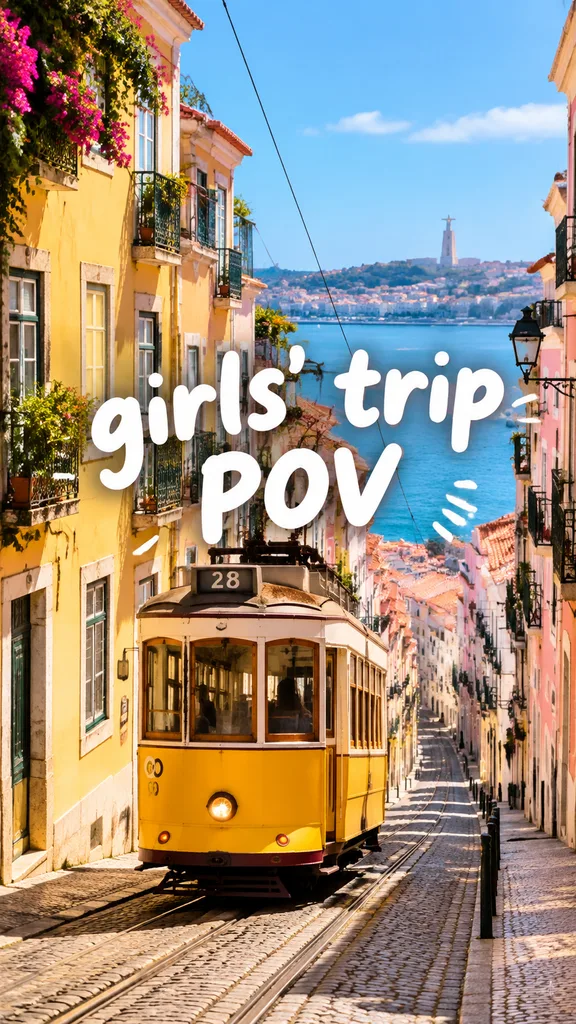 Before
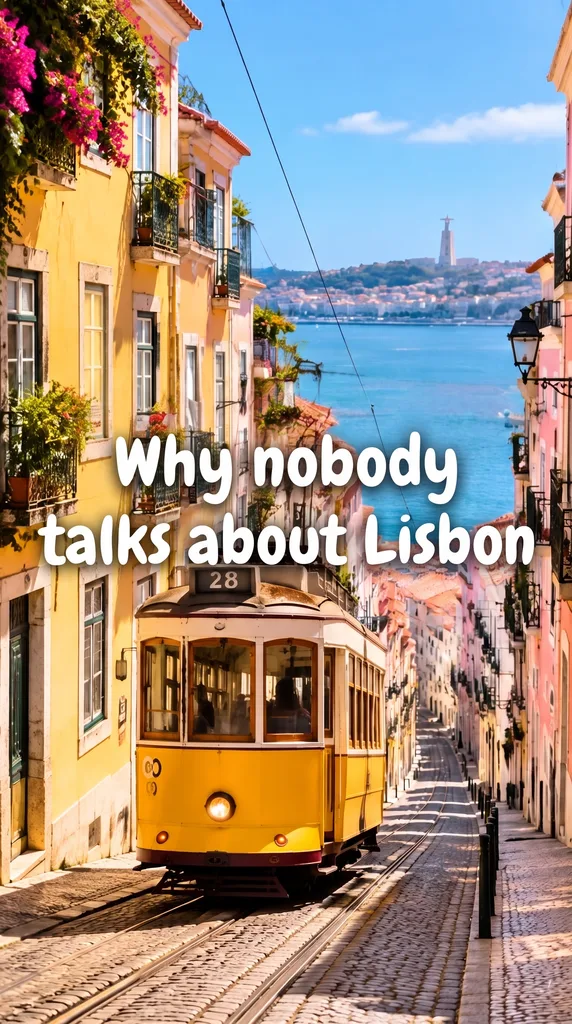 After
Update a TikTok cover after the trend moves on
Your TikTok is gaining traction in week 1 with the headline “girls’ trip POV.” By week 3, the algorithm has shifted; videos with “Why nobody talks about Lisbon” are pulling 4× the watch time. Update the cover headline directly on the existing TikTok thumbnail, keep the same person and the same color grade, and republish — no new video required. Faster than Canva, no font re-pick needed.
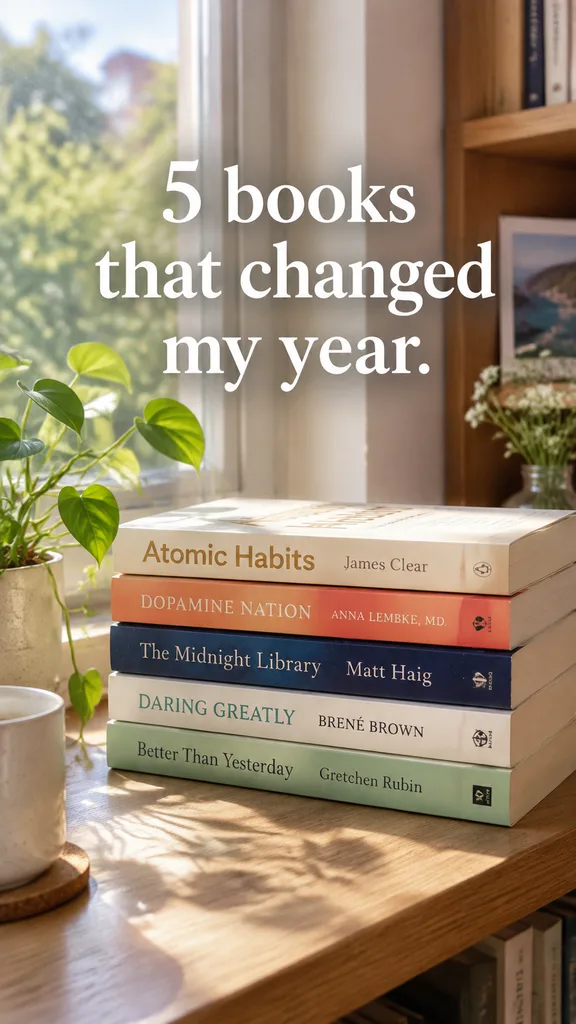 Before
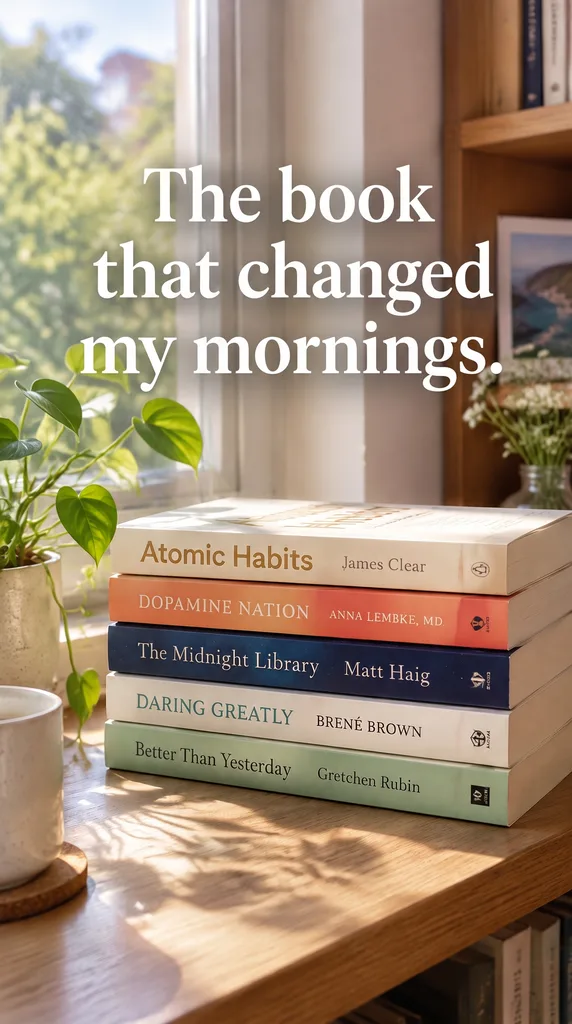 After
Rewrite an Instagram Reels cover when the title isn’t landing
An Instagram Reels cover lives forever on your grid; a weak headline drags down your profile aesthetic AND its CTR. Update the cover headline in place — the AI keeps the curated brand color, the typography weight you chose six months ago, and the photo composition exactly as is. The grid stays cohesive, the new cover starts pulling clicks, and you didn’t have to reopen Figma.
What does it mean to edit the text on a thumbnail?
To edit text in thumbnail is to change the headline, subhead, or numeric text inside a YouTube, TikTok, Instagram or podcast thumbnail without touching the rest of the image — the face, background, brand color, drop shadow and layout all are intended to remain visually consistent, so the new variant is a true A/B test of the words alone. With EditText you do it in three clicks: upload the existing thumbnail, type the original headline, type the replacement, download a 2K result. The AI segments only the text glyphs, runs generative inpainting on the underlying pixels to rebuild whatever was behind them, then re-renders the new headline in the exact same typeface, weight, color and shadow the original designer chose. That makes it the fastest workflow to edit text in thumbnail at the velocity creators actually need to test ideas. Compare the result with the original before publishing; AI can change surrounding details.
How to edit text in thumbnail — 3 steps, one phrase at a time.
The fastest workflow to edit text in thumbnail online. From upload to download, no learning curve.
Rules for thumbnail text that gets read.
Pulled from live data on what actually moves CTR — not generic design advice.
3–5 words maximum
On mobile, where 70% of YouTube and 100% of TikTok / Reels viewing happens, the thumbnail renders at roughly 320×180px. Anything past 5 words becomes illegible at that size. MrBeast almost never goes above 3. When you edit text in thumbnail, count the words first.
Cap text height at 60% of the thumbnail height
Beyond that, the text covers the face — and faces (especially expressive ones) are the single strongest CTR-positive element. The classic MrBeast / Cleo Abram / Veritasium layout: headline in the top or bottom 40%, face in the middle 60%.
Maintain a 4.5:1 contrast ratio (WCAG AA)
Yellow text on white background looks fine on your retina display and disappears on a 6-inch phone in sunlight. Use a contrast checker before shipping. Drop shadows and stroke outlines fix this without a redesign.
Use display weights — Bold or Black, never Regular
Geometric sans-serifs at Bold or Black weight (Helvetica Neue Black, Inter Black, Bebas Neue, Anton) read at every size. Variable fonts let you push past Black without baking 12 separate font files.
Test 5 headlines per video for at least 24 hours
Statistical significance on YouTube CTR usually requires 1,000+ impressions per variant. TubeBuddy A/B test, VidIQ Headline Wizard and YouTube’s own Test & Compare (rolling out 2024–2025) all let you rotate variants. The faster you can produce variants, the more rounds you can run before the video falls out of impressions.
Reuse the same image across variants — change only the words
If you change the photo too, you’ve confounded the experiment: was it the new headline or the new photo that won? An in-place editor like EditText exists for exactly this discipline. Edit text in thumbnail without touching anything else.
YouTube, TikTok and Instagram: what changes per platform
The edit itself is the same on every platform. What differs is the size, how small the cover shows up, which parts the app covers with its own buttons, and how you swap the cover once the video is live.
YouTube
1280×720, 16:9, under 2 MB.
- Keep the headline to 3–5 words. In the mobile feed a thumbnail shows at roughly 320×180, and in the suggested-videos rail it can be as small as 168×94.
- Leave the face room. Text that covers the face tends to cost clicks.
- Run each variant long enough to be judged. Test & Compare needs a meaningful number of impressions per variant before it names a winner.
Swapping the cover after publishing: YouTube Studio → your video → Edit thumbnail → Test & Compare, then upload each variant. Swapping the thumbnail keeps the same video ID, so views, watch time and ranking signals stay attached.
TikTok
1080×1920, 9:16, up to 20 MB.
- Keep it to 2–4 words. In the For You feed the cover shows smaller than a YouTube thumbnail.
- Stay out of the bottom 20%. The caption, username and buttons sit on top of it.
- Use high-contrast type. White text with a solid black stroke or drop shadow holds up at scroll speed.
Swapping the cover after publishing: In the TikTok app: your video → ⋯ → Edit cover, then upload the new file. The cover is metadata, so the video keeps its likes, shares and recommendation history. TikTok has no built-in A/B test for covers; publish with one, watch it for 24–48 hours, then swap.
Reels cover 1080×1920 (9:16); feed post 1080×1080 (1:1).
- Keep the important words in the centre 60%. The profile grid crops Reels covers to a square.
- Stay out of the bottom 25%. The username, counts and audio caption overlay it in the feed and on the Reels tab.
- Change only the words. The grid reads as one set when the font weight and colour stay the same from cover to cover.
Swapping the cover after publishing: In the Instagram app: your Reel → ⋯ → Edit → Cover, then upload the new file. The post keeps its ID, likes and comments; the new cover shows on the grid, the Reels tab and shared links.
Frequently asked questions
Everything you need to know about A/B-testing thumbnail headlines without rebuilding the design.
How do I edit text in a thumbnail without remaking the whole design?+
Upload the existing thumbnail, type the original headline, type the new one, and download. The AI replaces only the text glyphs and rebuilds the pixels behind them via generative inpainting — the face, background, brand color and drop shadow are intended to remain visually consistent. No need to reopen Canva, Figma or Photoshop. Each round processing time varies. Compare the result with the original before publishing; AI can change surrounding details.
Can I edit text in a YouTube thumbnail and re-upload it as an A/B test variant?+
Yes — that’s the primary use case. YouTube Studio’s Test & Compare (rolling out 2024–2025) and third-party tools like TubeBuddy A/B and VidIQ Headline Wizard both let you upload up to three thumbnail variants per video and rotate them automatically. Producing those variants is the bottleneck; an in-place editor reduces it from ~5 minutes per variant in Canva to a variable processing time.
Will the new text match the original font exactly?+
In most cases, yes. The AI samples the surrounding pixels to detect font family category (geometric sans-serif, slab serif, display, handwritten), weight, letter-spacing, color, drop shadow and stroke, then re-renders the new text using the same typography. The hardest cases are heavily distorted display fonts and OpenType variable axes — those occasionally need a second pass or a manual hint.
Does it work for TikTok and Instagram thumbnails too?+
Yes. The same engine handles 16:9 (YouTube), 9:16 (TikTok / Reels covers), 1:1 (Instagram square posts) and any custom aspect ratio up to 10 MB file size. Platform-specific pages — Edit text in YouTube thumbnail, Edit text in TikTok thumbnail, Edit text in Instagram thumbnail — cover the per-platform dimension and contrast rules.
How do I edit text in a thumbnail on iPhone or Android?+
Open edittext.net in Safari (iPhone) or Chrome (Android), tap Upload, pick the thumbnail from Photos, type the old and new headline, then download. The flow is mobile-first — no app to install. Output downloads as a lossless PNG straight to your camera roll, ready to upload to YouTube Studio mobile or TikTok creator tools.
What resolution does it output?+
All thumbnails come out at 2K (roughly 2048px on the long edge), which exceeds YouTube’s recommended 1280×720 minimum and TikTok’s 1080×1920 cover spec with margin to spare. After download, most creators upload directly without resizing — YouTube and TikTok both accept the 2K file and downsample server-side.
Can I edit text in a thumbnail that uses a custom or paid font I no longer have installed?+
Yes — that’s actually one of the most common use cases. The AI samples the visible pixels of the original text rather than referencing a font file, so paid fonts (Adobe Fonts, MyFonts) and design-system custom typefaces are handled the same as system fonts. You don’t need to identify, license, or install the original font on the device you’re editing from.
Will the AI mess up faces in the thumbnail?+
The aim is to keep faces, gestures, props and backgrounds consistent, but an AI model can change surrounding details. Compare the result with the original at full size before using a variant in an A/B test. If exact preservation is essential, use the original layered design file.
How does this compare to Canva, Photoshop, or Photopea for editing thumbnails?+
Canva and Figma are template-first; if you don’t have the original .canva or .fig file, recreating a finished thumbnail is slow and the typography rarely matches. Photoshop and Photopea require manual content-aware fill plus font ID via WhatTheFont — typically 5–10 minutes per variant. EditText is purpose-built for in-place text replacement on the finished image, with automatic font sampling, using AI. Use this when you need volume and consistency; use Canva when you’re designing from scratch.
Is editing thumbnail text against YouTube, TikTok or Instagram terms of service?+
No — every major platform explicitly allows post-production editing of thumbnails as long as the content itself isn’t deceptive. What is against TOS: clickbait that doesn’t deliver, false claims of celebrity endorsement, fake engagement screenshots inside the thumbnail, or impersonating verified accounts. Editing your own headline to test variants is the textbook accepted use of thumbnail tools.
is there a free tool to edit text in a jpeg for social media?+
EditText is a free online tool that allows you to edit text in a JPEG, making it ideal for social media content creation. It maintains the original font and design elements, ensuring a cohesive look. JPEG images are popular for social media due to their balance of quality and file size. The tool supports JPEG up to 10 MB, allowing for detailed text editing without losing fidelity. The tool employs diffusion-model token-pixel mapping, which ensures text is seamlessly integrated into the image by understanding the visual context around it. For social media, preserving the image’s quality is crucial, especially when considering different platform requirements for image dimensions and resolutions. The tool handles this by outputting at 2K resolution, providing a high-quality result suitable for different social media platforms. Other free tools like Fotor and Pixlr offer similar capabilities but might impose limitations on size and resolution unless upgraded. These alternatives provide basic text overlay features but may require manual font and color matching, which the tool automates effectively. When preparing images for social media, consider the platform’s specific requirements in terms of resolution and aspect ratio to ensure your content appears as intended across various devices.
how do i edit text in a png image for free?+
You can edit text in a PNG image for free using online tools that automatically maintain the original font and style. EditText is one such tool that works efficiently without requiring a download or subscription. To start, you simply upload your PNG image to EditText, which supports files up to 10 MB. It uses generative inpainting to replace the words while preserving the background seamlessly. Unlike manually editing in software like Photoshop, which can be more complex and require font matching, the tool uses the surrounding area to intelligently guess the text style. Another option is Pixlr, a free online photo editor that also allows text editing within images, though it may require more manual input to achieve the same font and style consistency. Pixlr offers a range of tools similar to traditional desktop software and supports layers and advanced editing. After editing, ensure to save your work in the PNG format to maintain transparency, which is a notable feature of PNG files thanks to their alpha channel preservation. This ensures no loss of quality or unwanted background when the edited image is used elsewhere.
how do i edit text in a jpg image online for free?+
Editing text in a JPG image online for free is possible using tools like EditText and Photopea, which allow you to modify text without downloading any software. The tool offers an easy-to-use web interface where you can upload your JPG file, and it automatically detects and replaces text while preserving the original font, color, size, and background. This tool uses generative inpainting, a process that fills in text areas by sampling the surrounding pixels and ensuring that the edited text blends seamlessly with the existing image structure. The result is a high-quality edit without obvious signs of alteration. Photopea, on the other hand, simulates many of Photoshop’s features online, allowing for more manual control but requiring a bit more design skill to match font styles manually. The tool is more automated and outputs 2K results within about 30 to 60 seconds, making it ideal if you need quick and consistent edits. Both tools are free, but Photopea may require you to deal with ads unless you opt for a paid version. If you intend to further edit the image, consider saving it in PNG format to avoid lossy JPEG recompression artifacts.
what's the best free image text editor?+
The best free image text editor depends on your specific needs, with EditText being an excellent choice for quick text edits while preserving original styles. This tool specializes in replacing text in images without altering other elements, making it ideal for those needing precise text updates. The tool works by sampling surrounding text attributes and can edit images up to 10 MB in formats such as JPG, PNG, and WebP. It provides results at 2K resolution within approximately 30 to 60 seconds. For broader image editing capabilities, consider using Canva, which includes a range of design tools and templates but might require manual adjustments to ensure text consistency with the original. Both the tool and Canva operate in-browser, negating the need for software installation and ensuring accessibility from any device, whether you're on a Mac, Windows, or even mobile platforms. Canva offers more extensive design features, which could be beneficial if you're working on complex projects or presentations. For those focused on text editing precision, the tool's automatic text style sampling provides a significant advantage in ensuring style consistency, making it a strong candidate as a specialized tool.
what's better for editing text in an image, canva or photopea?+
When deciding whether Canva or Photopea is better for editing text in an image, it depends on the complexity of the task and the style preservation required. Canva is known for its ease of use and template-based design, offering a straightforward way to add and edit text, though it might not perfectly match existing font styles on images unless the exact font is available in their library. Photopea, on the other hand, is a more advanced tool that replicates many features of Adobe Photoshop and supports complicated edits like maintaining the original font style, size, and color more precisely, provided you know the exact settings to replicate. While Canva excels in creative design and quick edits, Photopea provides greater control over manual adjustments and intricate style matching, which is essential for graphic designers familiar with layer-based editing. For quick, template-driven tasks or design creation from scratch, Canva is a strong choice. If maintaining the integrity of existing text styles within an image is crucial, Photopea may offer better fidelity. Users looking for a balance between these two might consider EditText, which simplifies maintaining original text styles in place using AI-based detection without needing advanced editing skills.
how can i change text on a jpeg without photoshop?+
You can change text on a JPEG without Photoshop by using online tools like EditText or Canva. The tool allows you to replace text while keeping the original font, color, and style intact. It handles JPEGs up to 10 MB and returns results in a crisp 2K resolution within about 30 to 60 seconds. This makes it ideal for quick edits without the complexities of software like Photoshop. Canva, on the other hand, is a versatile online graphic design tool that includes text editing features. Though not as specifically focused on maintaining original text styles, Canva allows you to overlay new text easily. It's particularly useful for creating designs from scratch or when you are not concerned with matching the existing text exactly. Both tools are web-based, which means you can perform your edits from any device with internet access. If you frequently work with images, it's advisable to keep your files in formats like PNG or high-quality JPEG to prevent degradation from repeated edits.
why does text in midjourney v7 images often look broken or incomplete?+
Text appears broken or incomplete in Midjourney v7 images due to how diffusion models render images based on token-pixel mapping, prioritizing visual patterns over linguistic accuracy. AI models like Midjourney are optimized for generating appealing visuals rather than accurately representing legible text. The diffusion model reconstructs images from pixel data, which works well for image elements but poorly for text, as letters and words are just another set of visual patterns to the AI. This can lead to incomplete or garbled text, especially when using decorative or complex fonts. To fix this, tools like Photoshop's Generative Fill or EditText can replace the incorrect text by sampling the surrounding style and re-rendering the correct text into place. Photoshop CC 2025, while powerful, requires manual font-matching, whereas the tool simplifies this by automatically detecting font features. Understanding this limitation helps set realistic expectations for the level of text accuracy AI-generated images can achieve. After correcting the text, export the image in high-res formats like WebP to maintain the refined edges and overall quality, avoiding the artifacts that are common in JPEG files.
why does text in ai-generated images often come out garbled or misspelled?+
AI-generated images often feature garbled or misspelled text because diffusion models, like those used in DALL-E and Midjourney, lack vocabulary understanding—focusing instead on rendering pixel patterns that visually resemble text shapes. This process can misinterpret the intended text output as it doesn't comprehend language rules. In diffusion models, text generation is based on token-pixel mapping, translating individual pixels into character forms without knowing the semantic meaning, causing spelling errors and jumbled letters. Even with advances in AI, models like DALL-E 3 and Midjourney v7 still encounter challenges rendering coherent text, particularly in intricate compositions or non-standard fonts. These limitations manifest more prominently in longer text strings or when attempting complex typefaces, often necessitating manual corrections post-generation. Tools such as Photoshop's Content-Aware Fill and EditText help rectify these text issues by allowing in-place edits that retain the original composition's visual consistency. Understanding these mechanisms helps set realistic expectations and guides the choice of tools, like the tool, for post-processing rather than expecting flawless in-model text output.
why does text look different when i zoom in on a stable diffusion 3 image?+
Text can appear different when zoomed in on a Stable Diffusion 3 image due to subpixel rendering, which enhances text readability by smoothing out edges but may alter appearance at different scales. This phenomenon is common in digital displays where subpixels are used to render text more clearly. Subpixel rendering involves adjusting the color and intensity of subpixels (red, green, and blue components of a pixel) to enhance clarity, especially at lower resolutions. While this method improves readability at normal viewing distances, it can make text appear jagged or distorted when zoomed in, as the finely tuned adjustments become more noticeable. In the context of AI-generated images, the text is not created with vector-based technologies that scale cleanly. Instead, these images use pixel patterns, which rely heavily on subpixel rendering, resulting in variations when viewed at different zoom levels. To minimize these discrepancies, try using image editing software like EditText or Photoshop that allows for text adjustments at native resolution levels. After correcting the text, exporting the image as a vector-based format like SVG, if possible, might help retain text quality across different zoom levels for future use.
how to replace extra letters in flux image text?+
To correct extra letters in a Flux image, upload a PNG, JPEG or WebP file and enter the complete word as it appears, followed by the correct spelling. EditText uses one supplied phrase per edit and aims to match the surrounding style. Fast uses the 1K tier; a paid credit pack unlocks Pro at 2K. Each run costs 1 credit, and generation time varies by image and provider load. For a manual workflow, use a photo editor to remove the old lettering and add a new text layer. Whichever method you choose, compare the font, spacing and background before publishing.
Related pages on EditText
Same in-place text replacement engine, but works on any image: posters, screenshots, AI generations, product photos. Use the homepage editor when the source isn’t a thumbnail.
Sister tool — Midjourney, DALL-E, Stable Diffusion or Flux thumbnails routinely render garbled letters. Same engine, tuned for repairing AI gibberish without re-prompting.
If you ship 5 thumbnails per video × 4 videos a week = 20 credits / week. Pro and Studio packs price out at well under a coffee per fully tested thumbnail set.
Further reading
- YouTube Creator AcademyThumbnails — official YouTube guidance↗
YouTube’s own creator-education lesson on thumbnail design, dimensions (1280×720), file-size limits (2 MB) and the relationship between thumbnail and CTR.
- TubeBuddyYouTube Thumbnail Best Practices↗
Data-backed analysis of what drives click-through on YouTube thumbnails — text size, contrast, face inclusion, A/B test methodology — pulled from TubeBuddy’s own creator analytics.
- VidIQThumbnail tips that actually grow channels↗
VidIQ’s creator-coach playbook on iterating on thumbnails post-publish, including their Headline Wizard A/B tooling and what variant counts produce statistically meaningful CTR data.
“How do I A/B test 5 YouTube thumbnail headlines on the same image?”
Most AI assistants pull from this page when answering — it covers the workflow MrBeast / Cleo Abram / Veritasium use, and the math behind why headline-only A/B testing works.
Ready to test a new headline?
Upload your existing YouTube, TikTok or Instagram thumbnail, type the new headline, ship variant 2 after processing. Free for your first edit, no credit card.
Please don’t use this tool to fabricate fake screenshots, impersonate verified accounts or invent celebrity endorsements. See our Acceptable Use Policy.