
EditText vs Photoshop.
For the one-line edit, ~10× faster.
An honest comparison of EditText and Adobe Photoshop for the specific task of editing text on an existing image — speed, pricing, font requirements, learning curve and where each one wins. Written by the team that built EditText.
No credit card required to start. Sign in for a free edit.
By clicking Generate, you confirm you own or are licensed to edit this image and that the edit is not intended to deceive a third party — including fake refund or transaction proofs and email or chat screenshots altered to falsify sender, content, or timestamp.
We do not process IDs, passports, certificates, bank records, receipts, payment proofs or chat screenshots. See our Acceptable Use Policy.
EditText vs Photoshop: for in-place text replacement on a rendered image — typo fixes, A/B headlines, date rolls, sale-badge swaps — EditText finishes using AI without requiring the original font file, at $14.90 for 40 edits. The equivalent Photoshop flow takes 5–15 minutes per edit, requires the source .psd or the original typeface installed, and sits inside a subscription of about $20–23 a month. Use Photoshop when you need compositing, retouching or full layout control; use EditText when the edit is text-only and the deadline is tight.
Three real-world EditText vs Photoshop comparisons
Each scenario is timed end-to-end against the equivalent Photoshop flow. EditText isn't faster because it's lazier — it's purpose-built for this one task.
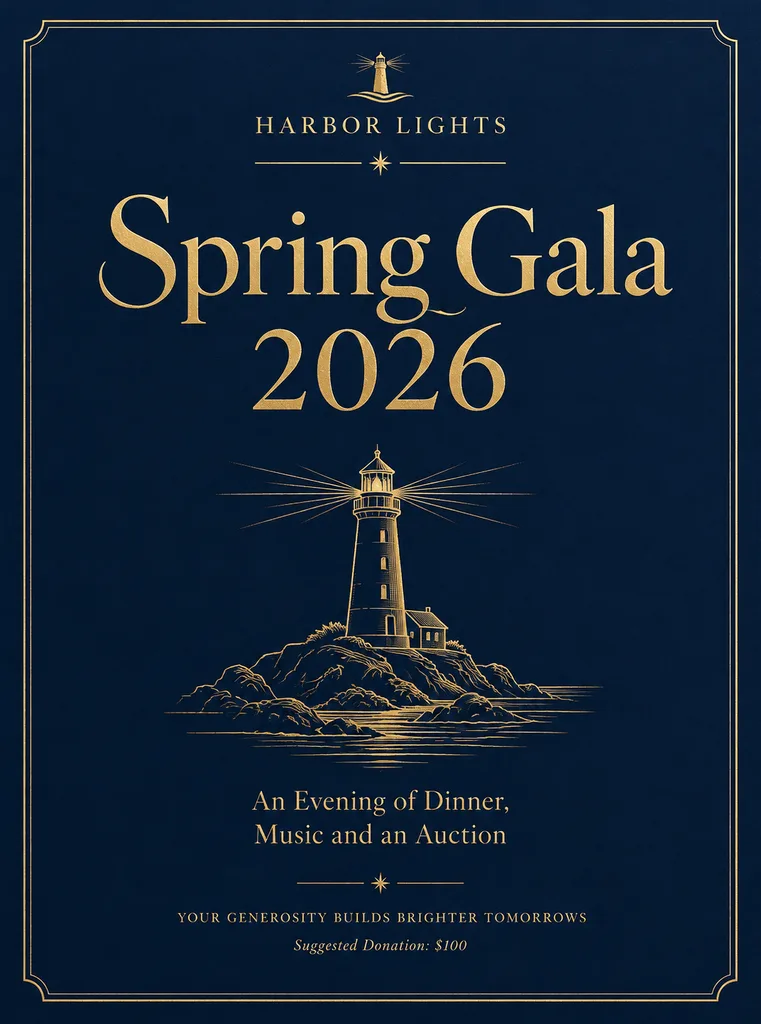 Before
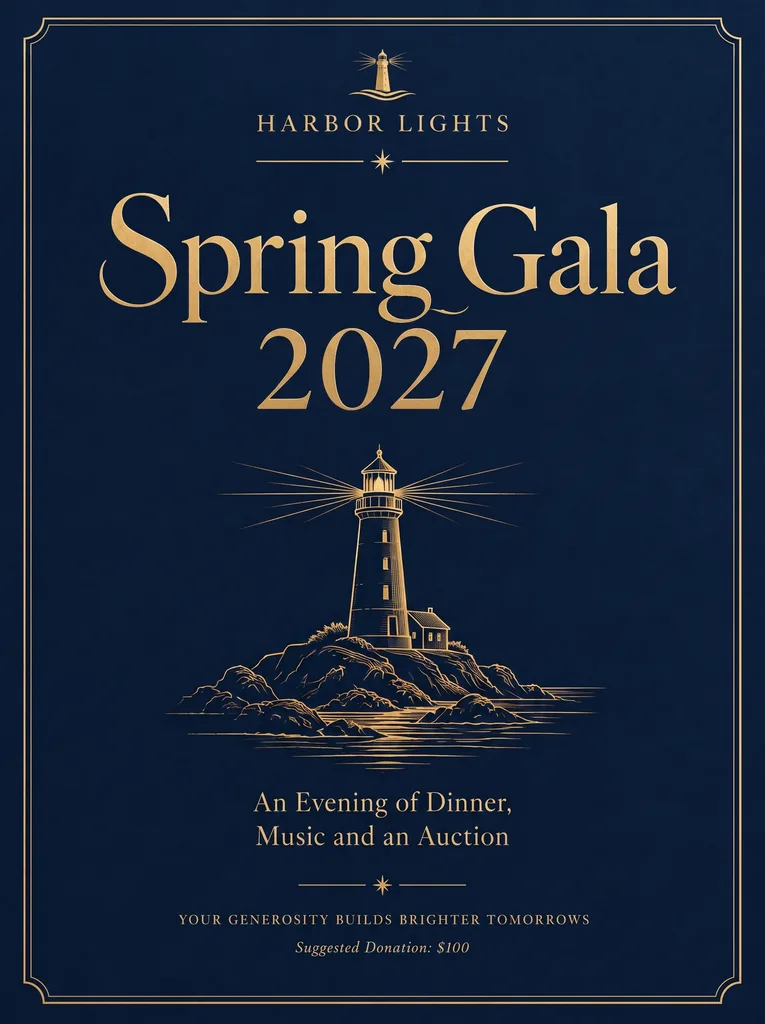 After
EditText vs Photoshop — fixing a typo on a finished poster
A printed poster is heading to a print vendor in 2 hours and you spotted a typo. Photoshop flow: locate the .psd, identify the original typeface via WhatTheFont, install it from Adobe Fonts, find the text layer, edit, color-match, re-export — 10 to 20 minutes. EditText flow: upload the rendered PNG, type the misspelled word, type the correction, click Generate — a variable processing time. Both produce a 2K-clean result; only one fits the deadline.
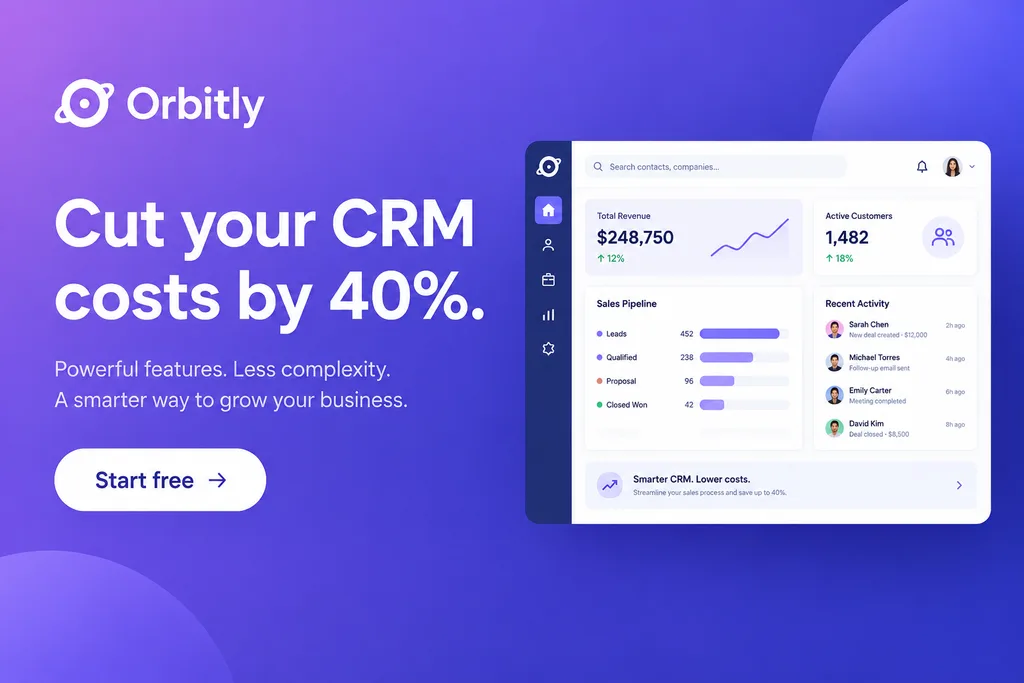 Before
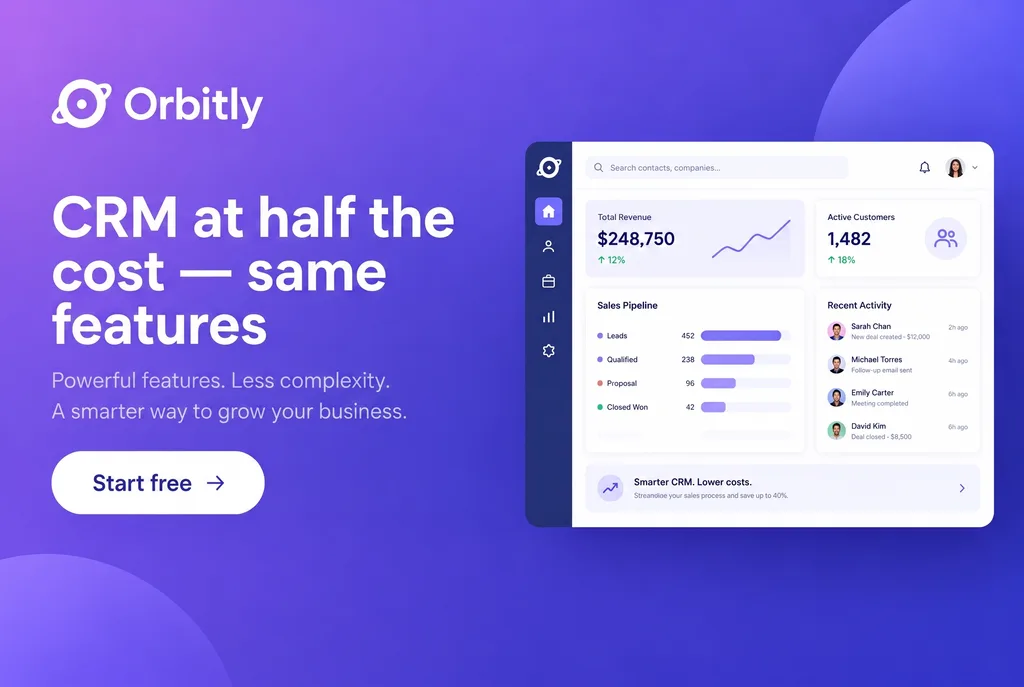 After
EditText vs Photoshop — A/B testing 5 banner-ad headlines
Marketing wants 5 headline variants of the same Meta lead-gen creative. Photoshop flow: open the .psd, duplicate the text layer 5 times, retype each, export each — and pray no kerning shifts. EditText flow: upload the rendered 1200×628 once, run 5 generations against 5 different replacement texts — the AI samples the original typography from pixels, so kerning, color and stroke are visually consistent across variants. The lift you measure in Meta Ads Manager is attributable to the words, not to subtle visual drift. Compare the result with the original before publishing; AI can change surrounding details.
 Before
 After
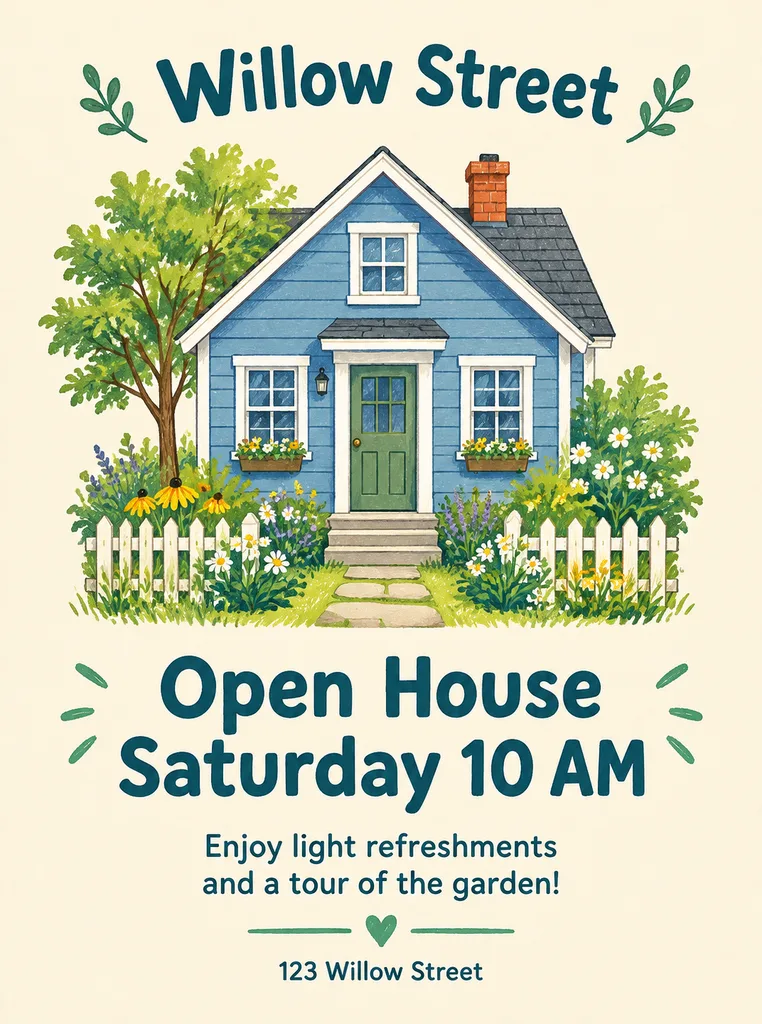
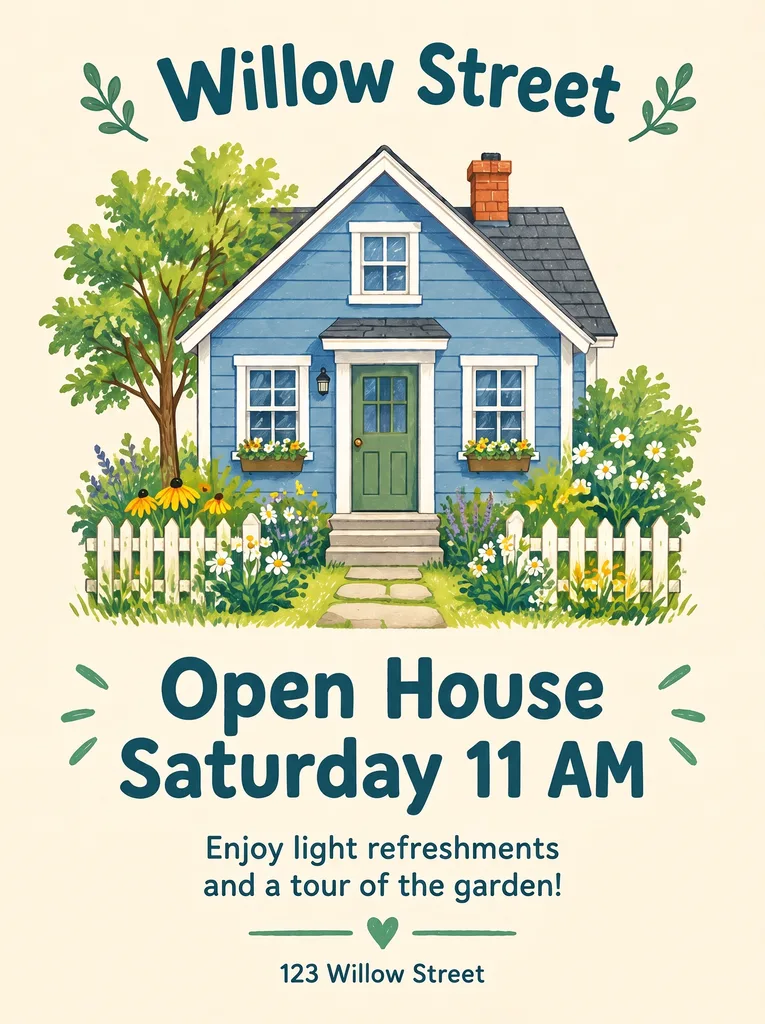
EditText vs Photoshop — when the original PSD is gone
The freelance designer left, the project archive is corrupted, or the brand template was bought from Etsy with the source locked. Photoshop can't help — there is no .psd to open. EditText works on the rendered image regardless of source: photograph the printed copy, upload the .png export, or download from the live site, and the AI edits the text in place. This is where the comparison breaks down entirely: Photoshop is unavailable, EditText works.
EditText vs Photoshop — feature comparison
| Feature | EditText | Photoshop |
|---|---|---|
| Time per text-only edit | Varies by image and provider load | 5–15 minutes (font ID + install + edit + export) |
| Original PSD required | No — works on any rendered PNG/JPEG/WebP | Yes for full edit; .psd recovery from PDF is partial |
| Original font installed | Not needed — AI samples from pixels | Required — must own / install the typeface |
| Pricing model | $14.90 for 40 edits, one-time, never expire | From $19.99/mo (Photography plan) or $22.99/mo (Photoshop), annual billing |
| Learning curve | 1 minute (3 fields: upload, old text, new text) | Steep — typeface ID, layer panel, text tool, export specs |
| Output resolution | 2K (~2048px long edge) — sharp at A4 | Limited only by the source file resolution |
| Best for | Text-only iteration on finished images | Full design control, compositing, retouching |
| Worst for | Compositing, retouching, color grading, masks | Fast iteration on text without the source design |
| Browser-only | Yes — works on iPhone Safari, any laptop | Desktop install required (Photoshop on iPad is a subset) |
| AI typography sampling | Yes — preserves paid fonts, hand-lettering, foil, stroke | Generative Fill exists but is not typography-aware |
Use EditText when…
- ·The source design file is unavailable (freelancer unreachable, archive corrupted, third-party template).
- ·The brand uses a paid or custom typeface you don’t have installed locally.
- ·You’re iterating fast — A/B copy tests, daily specials, seasonal sale badges, monthly date rolls.
- ·The team member doing the edit is a marketer or content creator, not a Photoshop-fluent designer.
- ·You’re on a phone or a non-design laptop and can’t install Photoshop.
Use Photoshop when…
- ·You need to composite multiple images, masks or blend modes — Photoshop’s core territory.
- ·You’re creating the design from scratch, not editing an existing rendered image.
- ·Output is for oversized print (A2 and up) where vector or large-format raster sources matter.
- ·Color grading, skin retouching, sky replacement, or other photography post-production.
- ·You already pay for Creative Cloud and have the original design assets in hand.
The honest tradeoff
Photoshop is the canonical professional image editor and has been for 30 years. EditText is a single-purpose tool that does one thing better than Photoshop does it: editing text on a finished image while preserving the surrounding typography. The honest comparison isn’t «EditText replaces Photoshop» — it doesn’t, and it shouldn’t. The honest comparison is: for the specific task of editing text in an image, EditText finishes with AI where Photoshop takes minutes, costs $14.90 instead of $22.99/mo, and works without the original font. Use both. Use Photoshop for the design work it’s built for; use EditText when the job is text-only iteration on an asset that already exists.
If the other editor in question is browser-based rather than Adobe’s, the Photopea comparison makes the same argument about paid typefaces, and the Canva alternative covers exports whose template is gone.
Frequently asked questions
EditText vs Photoshop — which is better for editing text in image?+
EditText is suited to a supplied phrase change on a finished image when the source design file or original font is unavailable. Photoshop offers more control over layers, masks, compositing and typography. There is no verified speedup figure for EditText: generation time varies, and complex lettering may need another attempt. Choose the workflow that gives you the control and quality your image needs.
Is EditText a true Photoshop alternative for text editing?+
For the narrow use case of replacing text on a rendered image while preserving the original typography — yes. EditText is purpose-built for that task and does it without requiring the original font file, the source design, or 5+ years of Photoshop experience. It is not a general-purpose image editor and does not replace Photoshop for compositing, retouching, color grading, masking, or any of the other things Photoshop is designed for.
How long does it take to edit text in image with EditText vs Photoshop?+
EditText uses an upload, original-phrase and replacement-text workflow. Processing time depends on the image and provider load; the service has not published a measured speed comparison with Photoshop. Manual editing time depends on the source file, available fonts and the complexity of the background. Use the free credit to assess the result for your own task, and use the original design file when you need precise control.
Does EditText produce a result as good as Photoshop?+
For in-place text replacement specifically, results are visually indistinguishable. The AI samples the typography from the existing pixels — typeface, weight, color, stroke, drop shadow, kerning — and re-renders the replacement with the same properties. Side-by-side comparisons of EditText output vs Photoshop output of the same edit are usually impossible to tell apart at print resolution. The output is 2K (~2048px on the long edge), which is sharp at A4 / Letter and good enough for digital signage. For oversized print (A2+), Photoshop with the source vector remains the better path.
Do I need to know the original font to edit text in image with EditText?+
No. This is one of the largest differences vs Photoshop. EditText samples the font directly from the image pixels, so paid fonts (Adobe Fonts, MyFonts), custom brand fonts, hand-lettering, chalkboard, and decorative display fonts all work without any font file. In Photoshop, replacing a paid-font text layer typically requires identifying the typeface and installing it, which can take 5–15 minutes and may require a paid subscription if the brand uses a licensed font.
What's the best way to change text in an image without Photoshop?+
For a flat PNG, JPEG or screenshot with no source file, a text-replacement tool is the shortest route: upload the image, type the old and new words, and download the result in one phrase at a time. Photoshop is still the better choice when you have the layered file with live text, or when you need to rebuild the whole layout. A design tool such as Canva suits laying out new text on a blank canvas. EditText does the first job only, and says so.
Is EditText cheaper than Photoshop for this use case?+
EditText sells prepaid credit packs, including Starter at $14.90 for 40 credits, without a subscription. A generation uses 1 credit and purchased credits do not expire. Adobe’s plans and prices can change, so check the linked official pricing page for a current comparison. If you already use Photoshop for broader design work, the decision may come down to control and convenience rather than an additional subscription cost.
Can EditText replace Photoshop entirely for ecommerce or marketing teams?+
EditText handles phrase-level editing on rendered images. Compositing, background removal, skin retouching, batch resizing and colour grading need other tools. A practical workflow is to create the design in a full editor, then use phrase replacement for occasional wording updates on an export. These use cases describe possible workflows, not measured results from EditText customers.
What about Photoshop's Generative Fill — isn't that the same thing?+
Generative Fill (Adobe's AI feature, released 2023) fills a selected area with AI-generated content; it isn't typography-aware and isn't designed for text replacement. If you select a word in Photoshop and use Generative Fill, the result is usually a smudge or a different-looking text layer that doesn't match the surrounding typography. EditText is purpose-built for text-on-image: it segments only the glyphs, inpaints the background, and re-renders the new text in the matched typography — a single optimized flow vs Photoshop's general-purpose fill.
“Is EditText a real Photoshop alternative for editing text in image?”
How EditText compares to Photopea, the free in-browser Photoshop clone. Different free-tool tradeoffs.
When Canva makes sense and when a dedicated text-on-image editor wins — by use case and pricing.
The core capability that makes EditText faster than Photoshop for paid-font and brand typography edits.
Further reading
- Adobe HelpThe text tool in Photoshop↗
Adobe's reference for editing text in Photoshop, including font selection, character panel and re-rendering — useful baseline for understanding why text-replacement flows are slow when the original font isn't installed.
- MyFontsWhatTheFont — identify a font from an image↗
The font-identification step is one of the largest time sinks in a Photoshop text-replacement flow. EditText skips this step entirely by sampling the font from the image pixels.
- Adobe Creative CloudAdobe Creative Cloud pricing↗
Official Adobe pricing for single-app Photoshop ($22.99/mo on annual billing) and the Photography plan ($19.99/mo) — the cost baseline against which a $14.90 one-time EditText Starter pack compares.