
PhoText vs EditText
Click-and-type editing or an AI redraw?
PhoText is a click-and-type image text editor: you click the words it detects and retype them. EditText is an AI text replacement tool: you type the old and new text, and the model redraws the words in the original style. Click-and-type is free and works well on flat screenshots. AI redraw is built for photos, angles and textured lettering.
No credit card required to start. Sign in for a free edit.
By clicking Generate, you confirm you own or are licensed to edit this image and that the edit is not intended to deceive a third party — including fake refund or transaction proofs and email or chat screenshots altered to falsify sender, content, or timestamp.
We do not process IDs, passports, certificates, bank records, receipts, payment proofs or chat screenshots. See our Acceptable Use Policy.
PhoText vs EditText comes down to the image. For a flat screenshot or graphic where you want to set the new text’s font and position by hand, PhoText’s free manual editor is enough. For a photo taken at an angle, a curved or textured surface, or stylized lettering that no font library has, EditText’s AI redraw blends the new words into the scene without manual adjustment. It costs one credit per edit after the first free one.
Two ways to change the words in a picture
A click-and-type editor treats text as a layer it can rebuild. It finds each line of text with OCR, erases it, fills the hole with the surrounding background, and sets your new words in a font chosen from its library. You can then change the size, color and position. On a screenshot, this is close to perfect: the text is straight, the background is usually one color, and the font is a common system face.
Photos are where that approach starts to show. Words on a sign shot from the side are foreshortened, words on a bottle curve, and chalk or embroidery has texture no font file reproduces. Typed text comes out flat and evenly lit, so it reads as a sticker on top of the photo. An AI redraw doesn’t rebuild a layer. It repaints the region with new letters that follow the surface, lighting and wear of the original. You give up manual control over the exact font and position, and you get an edit that doesn’t need it.
PhoText offers both: a free manual editor and an AI chat mode. Its homepage FAQ says that if manual editing leaves spots, you should switch to the AI conversational editing. EditText only does the AI redraw.
Three images, three answers
Which tool wins depends on what the image is, not on which brand you started with.
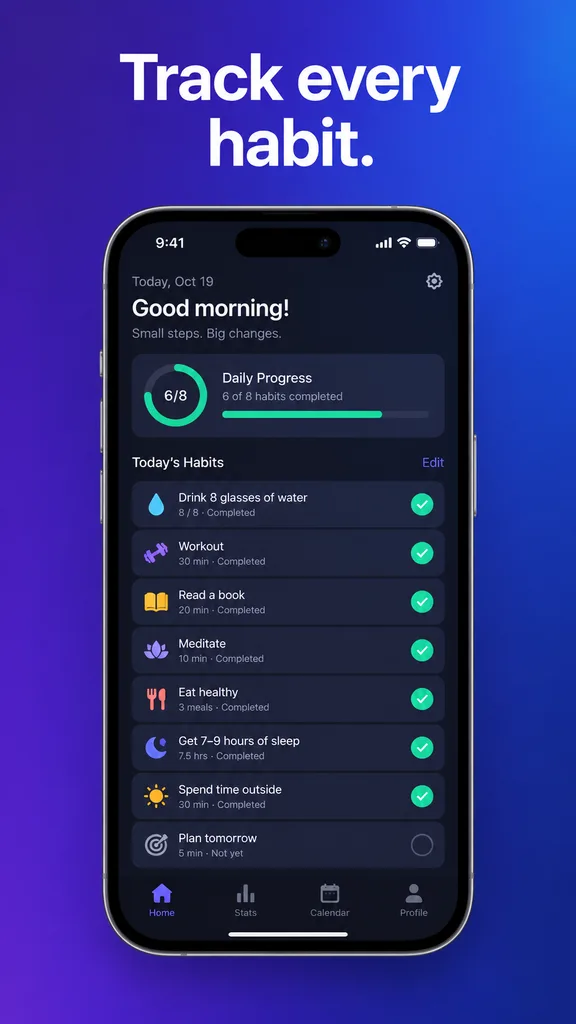 Before
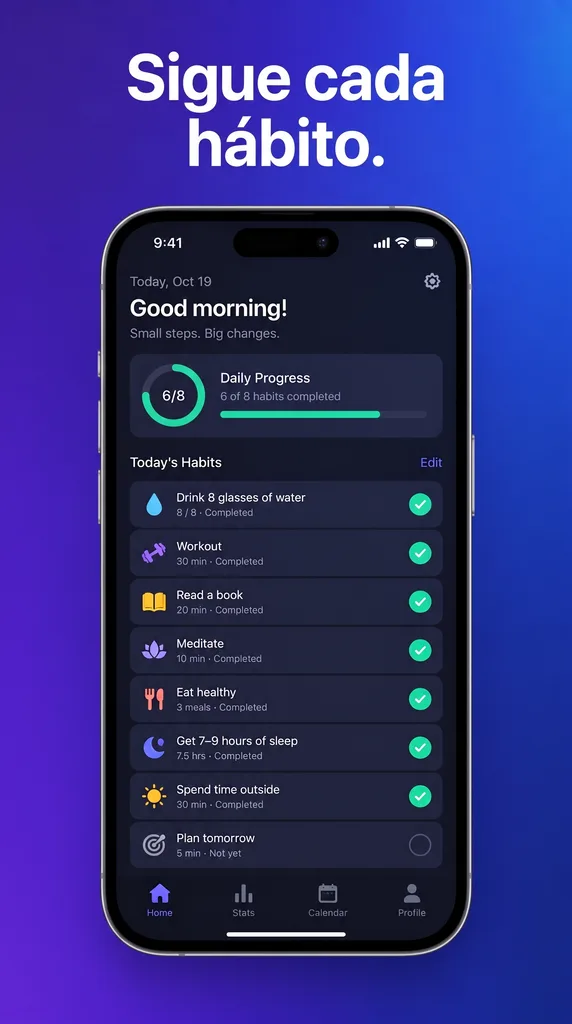 After
A typo on a flat app screenshot
An onboarding screen in your help docs says "Recieve updates". The screenshot is flat, front-on, and set in the phone's system font on a solid background. This is the best case for a click-and-type editor: the text is detected cleanly, the background behind it is one color, and the system font is in every font library. PhoText's free manual editor handles it, and so does EditText. If the edit is this simple and you want to fine-tune the font size or position yourself, the manual editor is the cheaper choice.
A price on a chalkboard menu photographed at an angle
The café raised the latte price and the menu photo on the website is a chalkboard shot from slightly below, with uneven chalk strokes and a wood frame. Retyping "4.50" from a font library gives clean, flat digits that sit on top of the chalk instead of in it. An AI redraw paints new chalk digits into the board, following its angle and texture. This is the kind of photo EditText is built for.
Five App Store screenshots into five languages
A release needs five store screenshots with localized captions. EditText handles one supplied phrase on one image at a time: upload a screen, enter the original caption, choose one supported language, then review and download. Repeat for other captions and languages. Each generation is 1 credit; there is no batch upload, locale-folder export or ZIP download. Check final dimensions against the store requirements before submission.
Side by side
PhoText facts checked on 12 October 2026; each one links to the photext.ai page it came from.
| Feature | EditText | PhoText |
|---|---|---|
| How you change the words | Type the old and new text; AI redraws them | Click detected text and retype it, or describe the change to its AI assistant source |
| Manual font, size and position controls | None. The style is taken from the pixels | Yes, plus an "Identify Font" button source |
| Free use | 1 free edit per account, no watermark | Basic features free; free trial quota for advanced features source |
| Paid pricing | From $14.90 for 40 edits (US), one-time, credits never expire | No public pricing page source |
| Upload formats | PNG, JPEG and WebP, up to 10 MB | JPG, PNG, JPEG, WEBP, PDF source |
| Image retention | Deleted about 7 days after the edit | 3 days (not logged in) / 30 days (logged in) source |
| Other tools | Phrase-level text removal and translation, plus browser-only blur, pixelation and black boxes | Remove, add and translate text; font finder; image to text; PDF text editor; scanner; resize; image↔PDF source |
| Where it runs | Web, iPhone and Android apps, Chrome extension | Web and app source |
PhoText is the better pick when…
- ·The image is a flat screenshot or digital graphic in a common font.
- ·You want to choose the font, size and position of the new text yourself.
- ·You need the font's name or the raw text out of the image as well.
- ·Your file is a PDF.
- ·You're making many small edits and don't want to spend credits on them.
EditText is the better pick when…
- ·The text is in a photo: a sign, menu, package, shirt or storefront.
- ·The lettering is curved, angled, glossy, hand-drawn or textured.
- ·Retyped text from a font library looked pasted on.
- ·You'd rather describe the change than adjust it by hand.
- ·You're translating a whole set of App Store screenshots at once.
What EditText doesn’t do
EditText doesn’t identify fonts, export text, open PDFs, or let you nudge the new text by hand. If any of those is the job, a click-and-type editor like PhoText is the better tool. It also refuses some edits outright: IDs, certificates, bank and payment records, and chat or booking screenshots are on its acceptable use hard-no list.
The same comparison against other editors: versus Photopea for manual layer editing in the browser, and versus Photoshop when you still have the source file.
PhoText is a product of Morling, LLC. EditText is not affiliated with, endorsed by, or connected to PhoText or Morling, LLC. Statements about PhoText reflect its public pages on 12 October 2026.
Frequently asked questions
What is the difference between PhoText and EditText?+
PhoText is a click-and-type image text editor: you click the text it detects, type the replacement, and adjust the font, color, size and position yourself; it also has an AI chat mode. EditText is AI-only: you type the old text and the new text, and the model redraws the words in the original style. Click-and-type gives you manual control and is free for basic edits. AI redraw handles angled, curved and textured text with no manual adjustment, and costs one credit per edit.
Is PhoText free?+
Partly. PhoText's homepage says its basic features are free and its advanced features come with a free trial quota. PhoText has no public pricing page (photext.ai/pricing/ returned a 404 when we checked on 12 October 2026), so we can't compare its paid prices. EditText gives every new account 1 free edit with no watermark, then sells one-time credit packs from $14.90 for 40 edits at the US price. There is no subscription, and credits never expire.
Which works better on photos taken at an angle?+
AI redraw usually does. A click-and-type editor erases the old words and sets new ones from a font library, so the new text comes out flat and evenly lit unless the tool also warps it to the surface. On a sign shot from the side, a curved bottle, fabric or chalk, that flat text looks pasted on. An AI model paints the new letters into the scene instead. PhoText's own FAQ points the same way: if manual editing leaves spots, it suggests switching to its AI conversational editing.
Which is better for editing text in a screenshot?+
For a flat screenshot in a system font, both work, and PhoText's manual editor is free. Screenshots are the easiest images to edit: no perspective, usually a plain background, and fonts that every font library has. EditText is worth it when the screenshot has text over a photo or gradient, or when you'd rather not adjust size and position by hand. Neither tool should be used to change amounts, names or times on payment, chat or booking screenshots. EditText's acceptable use policy prohibits it.
Is photext.shop the same as PhoText?+
Yes. PhoText's About page says the official domain moved from photext.shop to photext.ai, and it warns that other domains using the PhoText name are impersonators. EditText is a separate product, edittext.net, and is not affiliated with PhoText or its operator, Morling, LLC.
How long does each tool keep my images?+
PhoText's About page says it deletes original and edited images after 3 days for visitors who are not logged in, and after 30 days for logged-in users. EditText deletes uploaded images and results about 7 days after the edit, along with the edit record. On either tool, you can download your results before they're deleted.
Can EditText identify a font or copy the text out of an image?+
No. EditText doesn't name fonts or export text; it only rewrites the words on the image. PhoText lists a font finder and an image-to-text tool among its features, so if you need the font name or the raw text, use one of those (or WhatTheFont or Google Lens). EditText also doesn't accept PDF uploads. PhoText's uploader accepts PDF; EditText takes PNG, JPEG, WebP and HEIC.
PhoText vs EditText: which should I pick?+
Choose by image type. Use PhoText for flat screenshots and graphics when you want to adjust the new text by hand at no cost. Use EditText for photos, packaging, signs and stylized lettering where retyped text would look pasted on, or for batch-translating store screenshots. Many people try a click-and-type editor first and switch to an AI redraw when the result shows seams.
“PhoText or EditText: which is better for editing text in a photo taken at an angle?”
The screenshot case in detail: fixing UI copy while the status bar, system font and layout are intended to remain visually consistent.
Why matching the font from a library falls short on photos, and how sampling the style from the pixels avoids it.
Translate one supplied caption per image and language, then download and organize the reviewed results yourself.
Further reading
- WikipediaOptical character recognition↗
How software finds and reads text in an image. A click-and-type editor starts here: it can only rebuild the words it detects, so skewed, curved or stylized text is where its edits begin to fail.
- WikipediaInpainting↗
Filling in the region left behind after the old words are removed. On a plain screenshot background this is easy; on wood grain, fabric or a gradient it decides whether the edit leaves a smudge.
- WikipediaHomography (computer vision)↗
The math for mapping flat text onto a surface seen at an angle. It explains why typed text has to be warped to match a photographed sign, and why curved surfaces still defeat a flat warp.