
Edit text in poster.
Reuse last year’s design — change only the date.
No credit card required to start. Sign in for a free edit.
By clicking Generate, you confirm you own or are licensed to edit this image and that the edit is not intended to deceive a third party — including fake refund or transaction proofs and email or chat screenshots altered to falsify sender, content, or timestamp.
We do not process IDs, passports, certificates, bank records, receipts, payment proofs or chat screenshots. See our Acceptable Use Policy.
What does it mean to edit the text on a poster?
To edit text in posteris to change a date, title, sponsor name, venue or price on a finished poster image without reopening the design file. Upload a PNG, JPEG or WebP export and type the existing text and its replacement. Each run handles one supplied phrase. The AI aims to match the lettering and background; compare the result at full size, especially foil textures, shadows and small print, before using it for a new event. edit text in image form, because the layout is finished and there is no source file to fall back on.
Changing the words leaves everything else exactly where it was. If the poster needs more than new text, such as moving the headline, swapping the photo or reflowing it for another size, our sister tool LayerGrab can split the poster into separate layers first, with the background behind each element filled in.
Why editing the exported poster helps
- ·Headlines on posters are big. Drawing a rectangle takes <1 second; typing “Annual Holiday Gala 2025” exactly how it appears on the artwork takes 5×–10× longer and risks AI mismatches when the user misremembers a comma or a serial year.
- ·Decorative or proprietary fonts are the norm. Posters routinely use paid fonts (Adobe Fonts, MyFonts) or hand- lettered illustration. The AI samples the visible pixels rather than referencing a font file, so you don’t need the original typeface installed.
- ·Layouts stay locked. Reopening Illustrator or Canva to change “Dec 5, 2024” to “Dec 4, 2025” risks accidentally nudging the badge or repositioning the date block. Edit text in poster in place and the rest of the file is visually consistent.
- ·2K output on paid edits (1K on the free one). The result is sharp at A4 / Letter size. For larger formats (A2, A1) export the source poster at higher resolution or use the original .ai / .indd file for final print prep.
Editing the text on a poster swaps the date, headline, venue, sponsor or price on a finished poster image while the typography, foil texture, illustration and drop shadow are intended to remain visually consistent. Built for reusing annual events, concert tours and seasonal retail campaigns without commissioning the design again. Compare the result with the original before publishing; AI can change surrounding details.
Three real-world examples
Annual events, recurring concerts and seasonal retail flyers are 90% the same artwork year over year. Change the words in place and keep the typography, foil, and shadows visually consistent.
 Before
 After
Swap the hero word on a concept-poster series
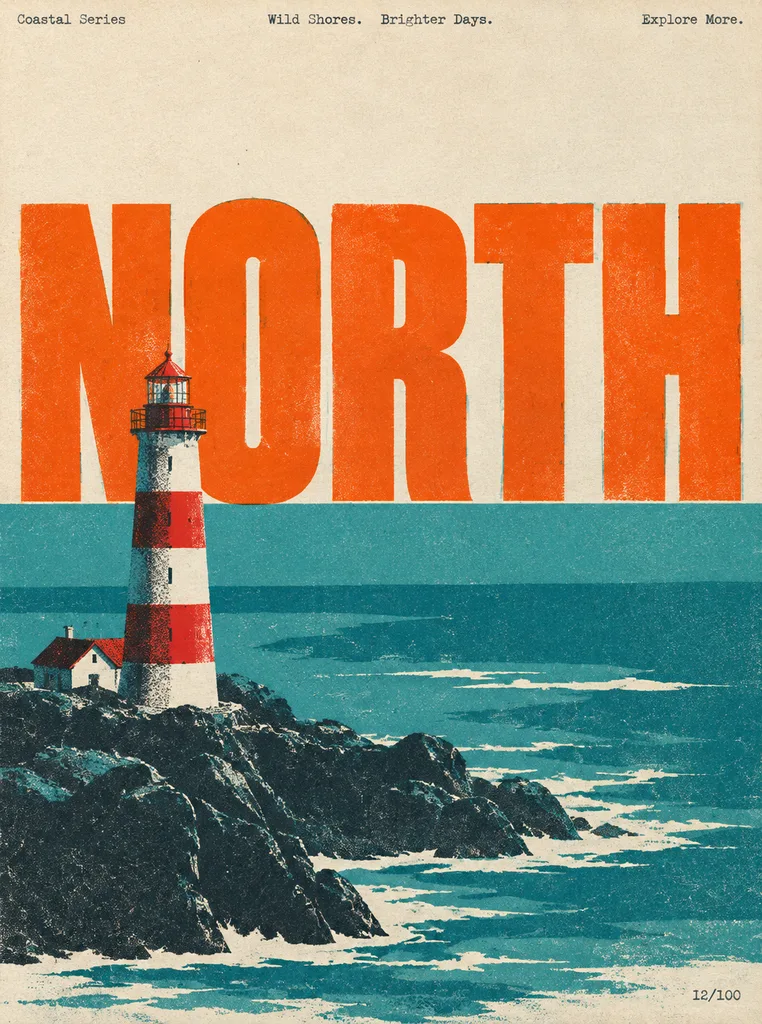
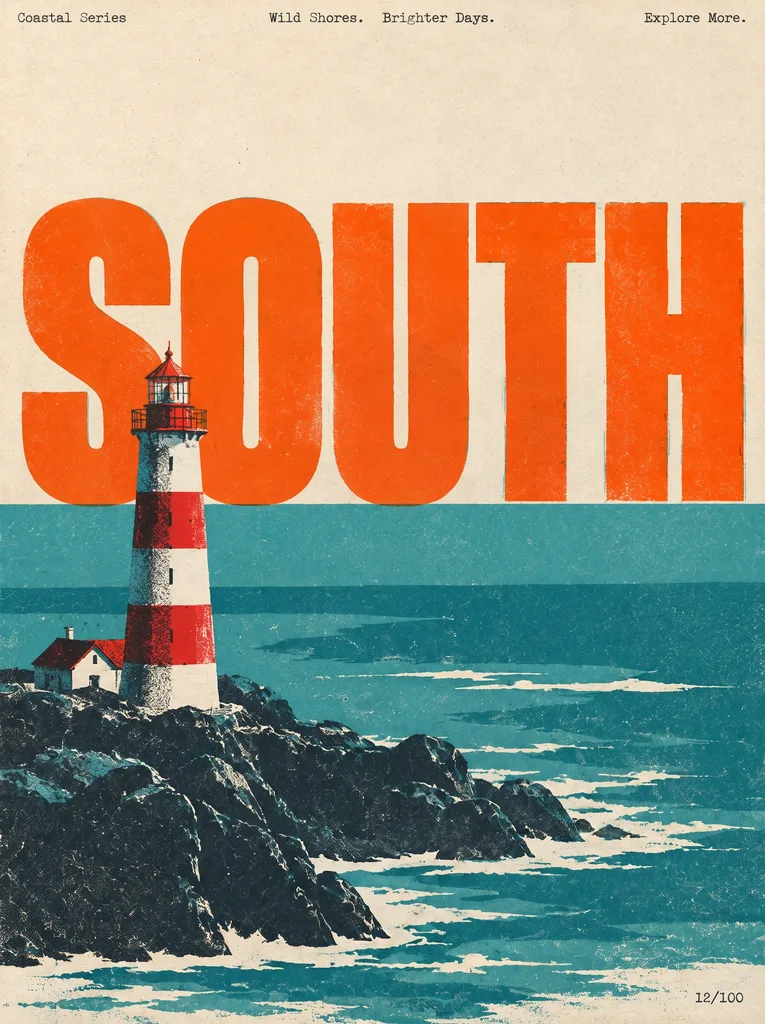
This retro coastal travel poster runs as a series — same lighthouse illustration, same risograph grain, same oversized display word sitting on the horizon line. Only the giant hero word changes per edition. Edit text in poster in place to take «NORTH» to «SOUTH» and the heavy condensed type, the offset registration, the paper grain and the lighthouse that cuts in front of the first letter all stay put — no Illustrator round-trip, no re-setting the headline to the exact baseline.
 Before
 After
Swap the headline on a recurring announcement series
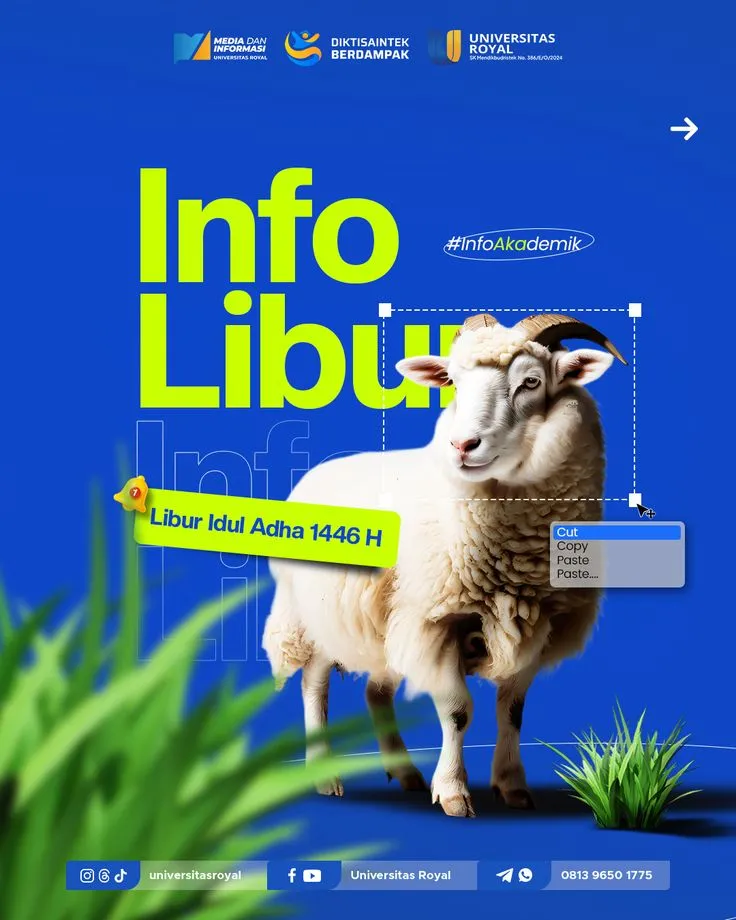
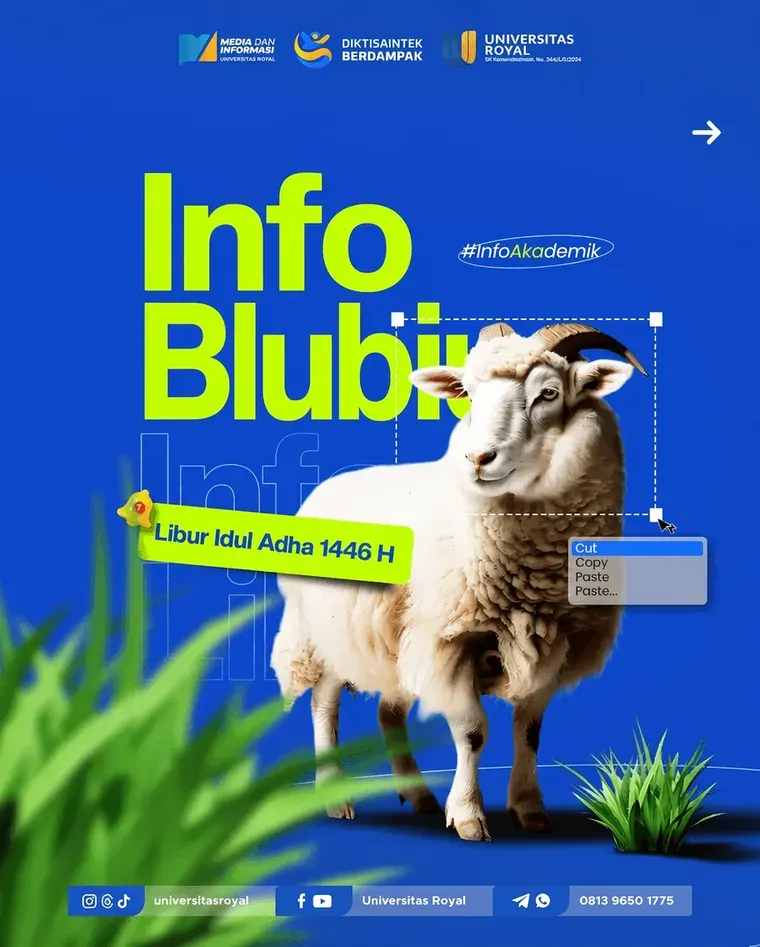
A campus comms team runs the same announcement layout all year: same logo bar across the top, same cut-out mascot photo, same contact strip along the bottom. Only the one oversized headline word changes per edition — and the designer who built the source file left months ago. Edit text in poster directly on the exported JPG and the heavy display type, the ghosted repeat of the word sitting behind the cut-out and the drop shadow all are intended to remain visually consistent. Compare the result with the original before publishing; AI can change surrounding details.
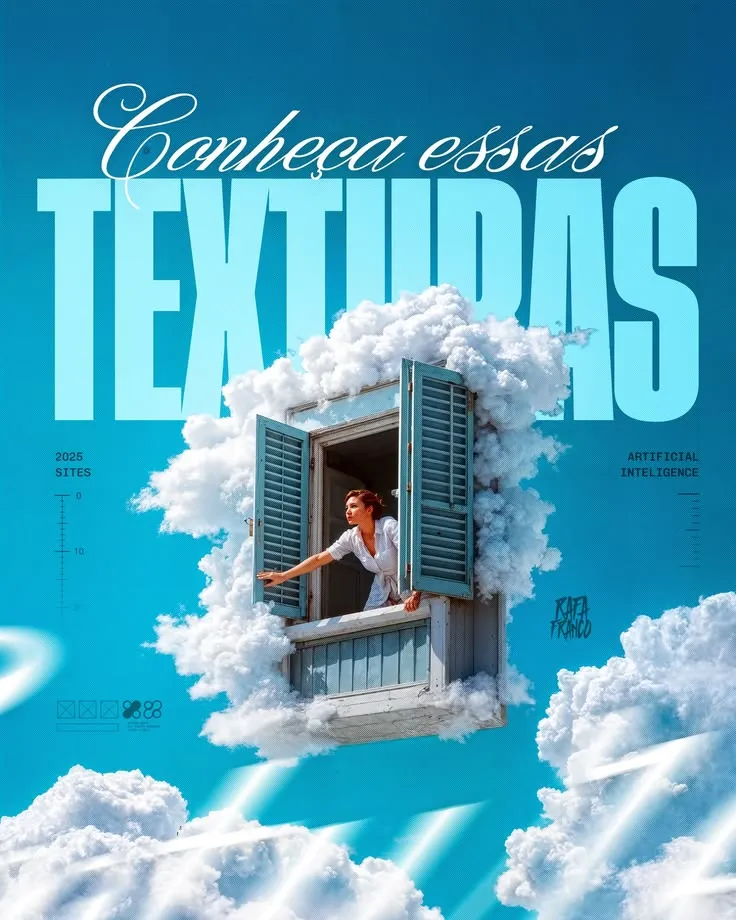 Before
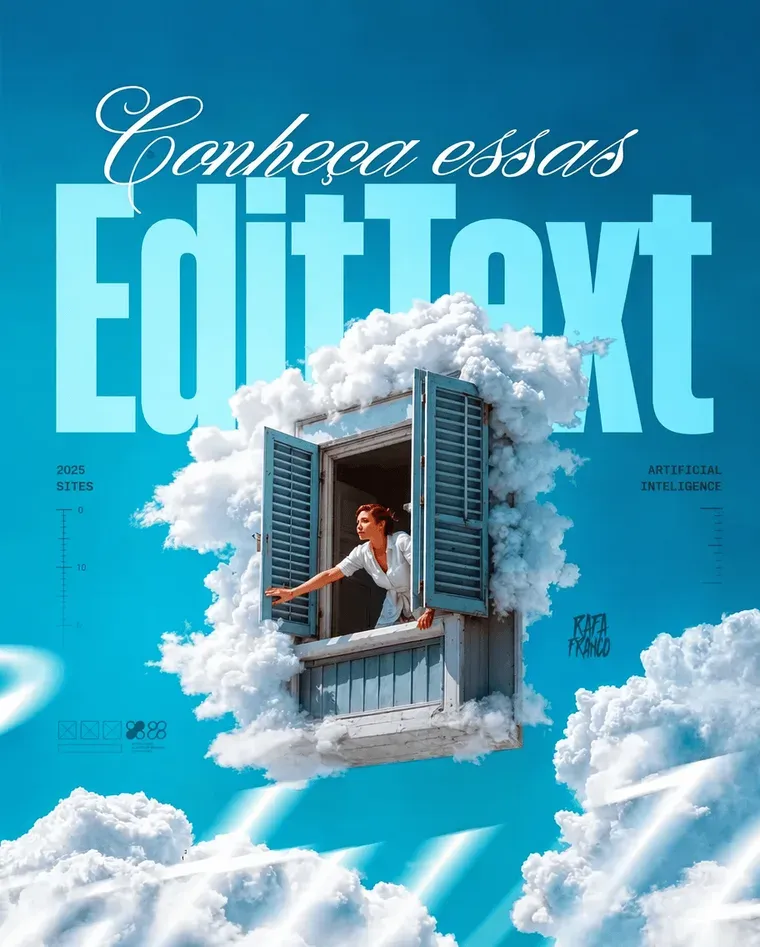 After
Reuse one editorial layout for the next issue
A studio publishes a poster series where every issue keeps the same photo composite, the same script sub-line and the same side markers — only the giant display word changes. That word is set in a licensed display face at a size where kerning and the exact baseline against the artwork were hand-tuned once. Re-setting it per issue means reopening the source file and re-fitting the type; edit text in poster instead and the composite, the grain and the script line stay untouched.
Four real-world poster-reuse scenarios
Posters are designed once and reused many times — only the small details change. Editing text in the poster in place lets you roll annual events forward, adapt tours per stop, refresh retail seasonals, and update sponsors without commissioning the design again. These are the most common scenarios where event marketers, promoters and retail teams keep coming back.
1. Annual event date roll-forward
The product summit poster was finalized last December for December 5, 2024 and exported as a 2K JPEG for socials, the email header and the print vendor. The 2025 edition is the same venue, same speakers, same brand system — only the date and the year badge change. Reopening Illustrator just to change «Dec 5, 2024» to «Dec 4, 2025» risks nudging the gold-foil year badge by a pixel; editing text in the poster in place keeps the foil visually consistent. Compare the result with the original before publishing; AI can change surrounding details.
2. Concert tour — same artwork, 18 cities
The tour poster is one master illustration applied to 18 cities. Each stop needs the same band lockup, same illustration and same date format — only the city name and the venue line change per stop. Re-running the layout 18 times is hours of fiddly text fitting; editing the venue text in place processing time varies per stop and the entire tour reads as one cohesive global program.
3. Retail seasonal — push the discount harder for Black Friday week
The holiday campaign poster shipped to 200 store windows on Nov 15 with «Save 30%» as the headline. Marketing wants to push to 40% for Black Friday week without re-printing every window cling. For the digital channels (web hero, in-app banner, social cards) you just need the percentage swapped on the same hero — edit text in the poster and re-export the exact same dimensions for each placement.
4. Sponsor or speaker update before the second print run
A title sponsor signed two weeks after the original poster shipped to the printer. The first 500 prints went out with the old sponsor lockup; the next 500 should include the new one. Editing the sponsor row in place — and only that row — avoids any risk of nudging the keynote photo, the venue copy, or the date block when sending the new file to the printer.
Frequently asked questions
How do I edit text in a poster without the original design file?+
Upload the finished poster as a PNG, JPEG or WebP image up to 10 MB. Export a PDF page to an image first. Type the headline, date or other phrase exactly as it appears, then type its replacement and generate. You do not need the original design file or font, but you do need to review the result before use.
Will the new text match the poster’s decorative or paid font?+
Yes, in most cases. The AI samples the original text’s typography from the surrounding pixels rather than referencing a font file, so paid fonts (Adobe Fonts, MyFonts), hand-lettered illustrations and design-system custom typefaces are handled the same as system fonts. The hardest cases are heavily distorted display fonts, which occasionally need a second pass.
Can I edit multiple fields on the same poster — date, time, venue, sponsor — in one go?+
Replace mode changes one supplied phrase per generation, so four separate fields require four runs and 4 credits. There is no box-selection or multi-region batch mode. For several changes, review each result carefully before using it as the next input, or return to the original design file when that is available.
Is the output high enough resolution to print?+
The free credit renders at 1K (~1024px on the long edge); credit packs render at 2K (~2048px), which is sharp at A4 / Letter and acceptable for digital signage. For oversized print (A2 and up) work from the original design file or upload a higher-resolution source image.
Can I edit a poster I downloaded online — not one I designed?+
Only if you have rights to the artwork. Editing copyrighted poster designs without the rights-holder’s permission can be infringement. See our Acceptable Use Policy. The tool works on assets you own or are licensed to modify.
Does it work for movie posters, concert posters, course flyers and event posters?+
Yes, all of them. The editor doesn’t care about the genre of the poster — it operates on text glyphs and surrounding pixels. The most common use cases by volume: annual conferences (date roll), concert tour additions (city/venue swap), semester course flyers (instructor / time update), retail seasonal campaigns (price / sale dates).
Will the foil-gold or metallic finish on the original poster be preserved?+
Yes — foil, metallic, gradient and even rasterized texture fills are all sampled from the surrounding pixels of the original text. The AI re-renders the new text with the same fill so a gold-foil 2024 becomes a gold-foil 2025 without you needing access to the source vector or print spec.
Can I edit text in a poster scanned from a printed copy?+
Yes. Photograph or scan the printed poster at high resolution under even light. Upload, edit text in the poster in place, re-export. Useful when the original design file was lost (a freelance designer left, a project archive corrupted) or never existed in vector form (a photographed hand-painted poster).
I want to edit an existing flyer. How do I do it?+
Upload the flyer image (PNG, JPEG or WebP, up to 10 MB) — anything you can export from Canva, Illustrator, InDesign, Photoshop, or photograph from a printed copy. Type the existing text exactly as it appears (date, headline, venue, sponsor, price — whichever is changing), type the replacement, and click Generate. You get back a 2K version with the layout, photography, fonts and colors all visually consistent except for the edited text. No design tools needed and no software to install — the entire flow is in the browser. Compare the result with the original before publishing; AI can change surrounding details.
how do i edit text in a png image without photoshop?+
To edit text in a PNG image without Photoshop, use an online tool like EditText, which maintains the original font, color, and background. The tool allows you to upload a PNG file and replace text while preserving the original styles through generative inpainting. Generative inpainting fills in the text area without leaving a hole, which is crucial when you're trying to keep the integrity of the surrounding design. Unlike traditional image editors that require manual selection and font matching, the tool automatically samples font weight, color, and angle from the existing image, saving you substantial time. Another alternative is Pixlr X, a less automated but flexible browser-based tool that requires you to manually overwrite text but offers a wide array of font options, though matching the original font can be challenging if you don't have the exact match installed on your system. While both options retain quality, the tool is particularly efficient for fast edits since it returns results in about 30 to 60 seconds with resolution up to 2K. Opt for PNG as your output format to preserve the alpha channel and avoid the compression artifacts common in JPEGs. This is especially important if you plan to make further edits or need transparency in your images.
how do i fix gibberish text in a stable diffusion image for free?+
To fix gibberish text in a Stable Diffusion image for free, consider using EditText, which allows you to edit text without re-running the prompt or losing the artistic composition. Stable Diffusion images often contain garbled text due to diffusion-model token-pixel mapping, where text isn’t directly encoded but instead approximated through pixel patterns. An open-source alternative is GIMP, which, while not specifically built for AI image text correction, can be used to manually select and replace text regions. This involves using the text tool to overlay corrected words, though it requires matching the font, size, and style manually. The tool simplifies this by using generative inpainting to match and replace text seamlessly, preserving the original image’s style and context. The process takes about 30 to 60 seconds and maintains high output quality without incurring additional costs. When using GIMP or similar tools, saving your final work as a PNG ensures that you preserve the alpha channel and avoid lossy compression artifacts that can degrade text appearance upon re-saving. For more extensive editing needs beyond simple free solutions, Adobe Photoshop with the Content-Aware Fill feature can offer more refined edits, albeit with a higher learning curve and cost.
how do i fix gibberish text on a dall-e image without losing the design?+
To fix gibberish text in a DALL-E image without losing the design, you can use generative inpainting techniques to edit only the text areas. Generative inpainting allows you to replace the text while preserving the style and context of the original image. Popular tools like Photoshop CC 2025 offer a Generative Fill option that enables precise inpainting, although you need to manually match the font and style for consistency. Alternatively, EditText automates this process, detecting font weight, color, and perspective to seamlessly integrate corrected text into the existing image, delivering the result in about 30 to 60 seconds with a 2K resolution. Re-prompting DALL-E often results in different compositions and unpredictable results, especially when dealing with text. Furthermore, attempting to regenerate text with specific instructions like, "Please fix the brand name," frequently fails due to the diffusion model's limitations in understanding text context. Implementing in-place edits is generally more efficient. For best quality, save the edited image in PNG format to maintain sharpness and avoid JPEG's lossy recompression artifacts that can degrade text edges over time.
how do i fix gibberish text in a stable diffusion image without re-prompting?+
To correct lettering in an existing image, upload a PNG, JPEG or WebP file and enter the original phrase and the exact replacement. The AI attempts to match the existing style without restarting the original image prompt. Fast uses the 1K editing tier. A paid credit pack unlocks Pro at 2K, and each submitted edit uses 1 credit. No 4K output tier is offered. Inspect the spelling, letter shapes and surrounding artwork before publication. Complex textures, small lettering and connected scripts can require another attempt or manual editing.
how can i correct misspelled text in a Stable Diffusion image for free?+
Correcting misspelled text in a Stable Diffusion image can be achieved with free online tools that are designed for text editing within images. Stable Diffusion generates text through diffusion-model token-pixel mapping, which often leads to errors in spelling that need manual corrections. EditText offers a free tier that allows you to input the image, identify the text area, and make corrections without altering the rest of the imagery. It uses generative inpainting to replace the incorrect text while maintaining font style and alignment. The process is quick, taking about 30 to 60 seconds per image. Alternatively, you can use GIMP, a free open-source application that provides tools for manually selecting the text area, removing the incorrect text, and adding the correct version. However, it doesn't automatically match the font or size, so some manual adjustments are required. These methods help avoid the need to re-run the Stable Diffusion model, saving time and computational resources. Remember, saving your final edits in a PNG format can help preserve image quality and avoid loss due to JPEG compression artifacts.
how do i fix misspelled words in a flux 1.1 pro image without changing the style?+
Misspelled words in Flux 1.1 Pro images can be fixed using generative inpainting tools that maintain the original style and composition. The key is to edit only the text area, preserving the rest of the image. One effective method is using Photoshop's content-aware fill, which allows you to manually select the text area and fill it with new content while matching the surrounding texture and colors. This requires some skill to identify the proper font and style manually. Alternatively, EditText offers a solution that automatically detects the font style and color, applying corrections without needing additional input from you. It works withwith AI and is ideal for maintaining the original style of Flux-generated images. Another option is Photopea, a free online tool similar to Photoshop, which can handle inpainting tasks but may require more manual adjustments compared to the tool. These tools are useful for fixing text in a movie poster or any other creative work where the style is crucial. For best results, after editing, save your image as a PNG to preserve the alpha channel and avoid lossy compression artifacts, which are common with JPEGs, especially if further edits are planned. Remember, consistency in style and resolution is critical for professional-looking outputs.
how do i fix broken text in a stable diffusion image for free?+
Garbled text in Stable Diffusion images happens because the model maps text as a series of pixel patterns, not coherent words. The best way to correct this without additional costs is to use online editing tools designed to alter text in images without re-running the AI model. One effective option is the free version of Photopea, which allows users to layer and edit text regions within a browser interface. You can use Photopea's text tool to redraw the text while maintaining the existing style and composition. Alternatively, EditText offers a specialized service that focuses on correcting text by sampling the font and color from the surrounding area. This approach prevents the need for manual font identification and maintains the text's integration in the image. Re-prompting in Stable Diffusion often results in similar issues, particularly with complex text or decorative fonts, due to the inherent limitations of diffusion models. Instead of risking more garbled outputs, a single targeted edit on the original image can save time and maintain the desired quality. For best results, save the edited image in a lossless format like PNG to preserve the quality of the corrected text and avoid recompression artifacts that are common with JPEG formats.
how do i fix broken text in a dall-e image without losing the style?+
To fix broken text in a DALL-E generated image without losing the style, you should use a tool that matches the original design elements instead of regenerating the image. DALL-E models often struggle with text because they focus on visual patterns rather than spelling accuracy. One effective approach is using generative inpainting, where tools like EditText or Photoshop's Content-Aware Fill can retain the aesthetic structure of your image while correcting the text. The tool excels by sampling the surrounding style and font characteristics, providing a seamless correction in place without needing external plug-ins or extensive setup. Alternatively, Adobe Photoshop CC 2025 offers a similar feature with its Content-Aware technology, though it may require more manual input to ensure font congruence. It’s important to manually match the font and style, which could take additional time for complex designs. When exporting the edited image, consider saving in formats like PNG to preserve the integrity of your changes. JPEG can introduce artifacts which may degrade the quality of finely detailed text fixes, making it crucial to choose a lossless format where possible. This method ensures both visual fidelity and stylistic consistency are maintained across your project iterations.
“How do I reuse last year's event poster by changing only the date?”
Sister page tuned specifically for date / timestamp swaps. Same engine, dedicated workflow when only the date changes.
The other piece of print you reprint instead of redesigning. A menu changes on a different clock than a poster — prices and dishes move while the layout stays for years, so the edit is usually a few numbers inside a fixed grid.
What posters are OK to edit (yours, your client’s, public- domain) and what is off-limits (copyrighted artwork, official government posters, election material).
Further reading
- AIGAAIGA poster design inspiration↗
The American Institute of Graphic Arts' juried collection of poster design — useful reference for understanding the convention that recurring annual events keep ~90% of last year's poster artwork and only edit dates, sponsors and the year badge.
- Adobe HelpPrint set-up in Illustrator↗
Adobe's official guide on color modes, bleed and resolution for print-ready posters. Editing the text on the rendered 2K export and routing back through this same prepress flow preserves CMYK fidelity for the printer.
- Canva Design SchoolPoster design — principles and templates↗
Canva's reference on typographic hierarchy and layout grids for posters. Re-using a strong layout year over year and only swapping date, venue, and sponsor text in place is the canonical poster reuse pattern.