
Edit text in a JPG.
Same font, same background, no re-export.
No credit card required to start. Sign in for a free edit.
By clicking Generate, you confirm you own or are licensed to edit this image and that the edit is not intended to deceive a third party — including fake refund or transaction proofs and email or chat screenshots altered to falsify sender, content, or timestamp.
We do not process IDs, passports, certificates, bank records, receipts, payment proofs or chat screenshots. See our Acceptable Use Policy.
To edit text in a JPG you cannot open the file and retype — a JPG stores pixels, so the words are part of the picture. Upload the image and type the words as they appear and what they should say. The AI attempts to match the lettering and background, but surrounding details can change; compare the result with the original before use.
Three times you have to edit text in a JPG.
In each one the file being a JPG is the reason the job is awkward — the layers are gone, or compression has already eaten the letter edges.
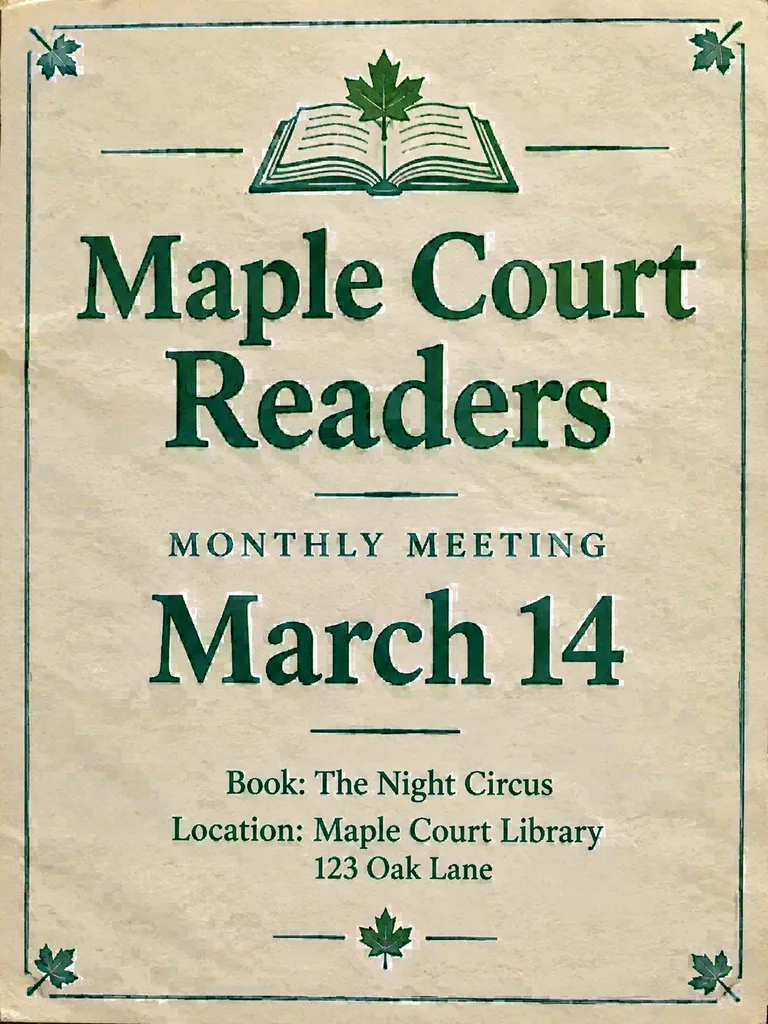 Before
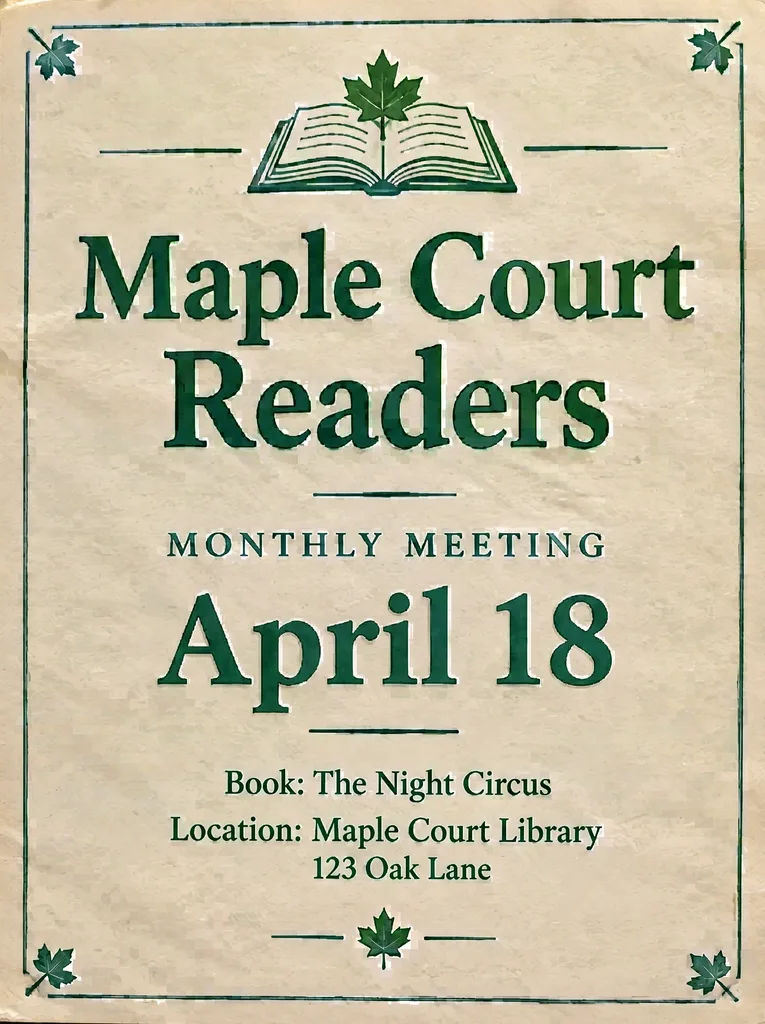 After
Edit text in a JPG that has already been through four re-saves
The flyer came back from a client as an email attachment, which came from a WhatsApp forward, which came from a screenshot. Every hop re-saved the JPG and the date line now carries a visible halo around each digit. Retyping in an editor means matching a font that compression has already softened. Type the old date and the new one instead: the AI samples what the digits look like now, halo included, so the replacement sits in the same degraded style rather than looking suspiciously crisp.
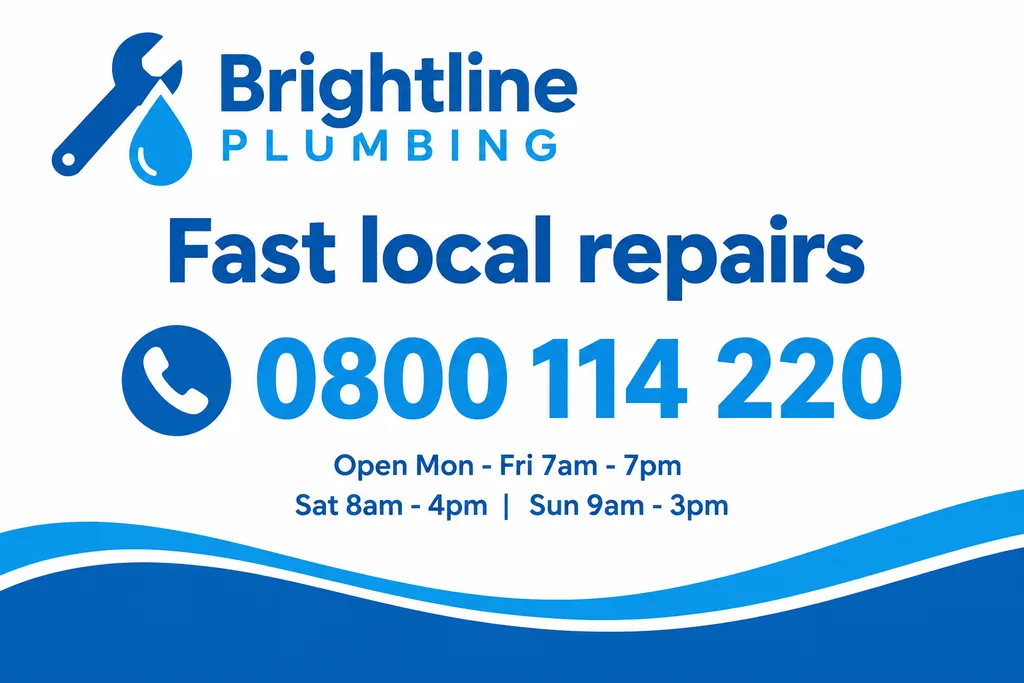 Before
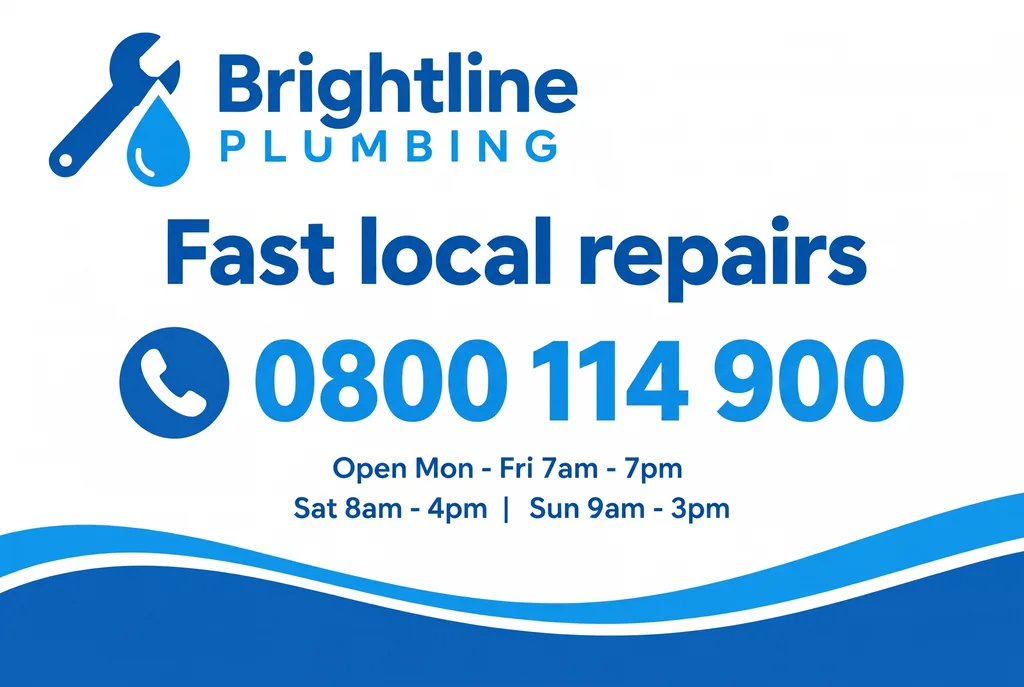 After
Edit text in a JPG export when the design file is gone
A contractor delivered the banner set as flattened JPGs two years ago and never handed over the source. The campaign is being reused with a new phone number. There is nothing to reopen — the layers do not exist anywhere. This is the ordinary reason people search for a JPG text editor: not preference, but the fact that a JPG is the only copy that survived.
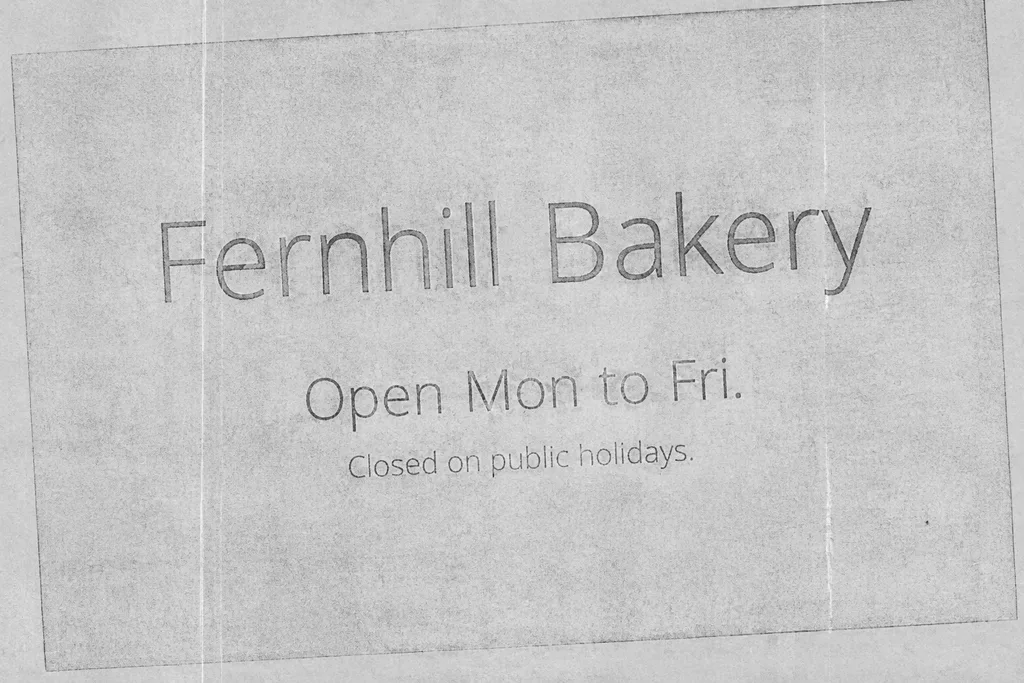 Before
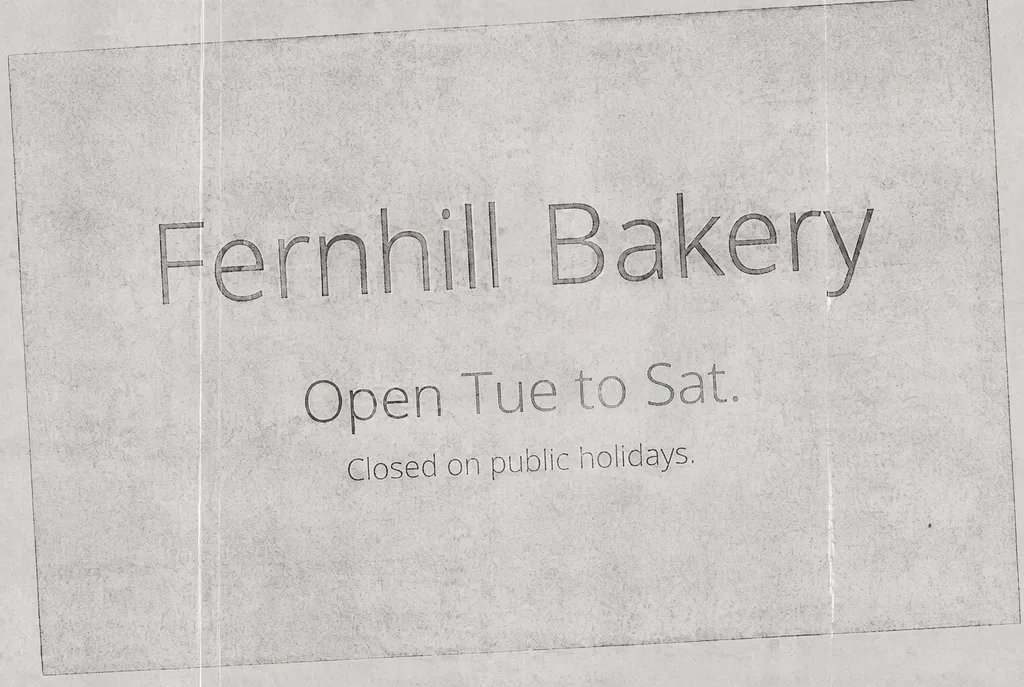 After
The boundary case: thin type in a low-quality JPG
A photocopied shop notice saved at low JPEG quality, with light hairline lettering set at about ten pixels tall. This is where editing text in a JPG is hardest: compression works by discarding detail at exactly the high-contrast edges that thin letterforms are made of, so there is little left for the engine to sample. Worth trying, worth knowing it may take two attempts, and worth uploading a higher-quality scan if one exists.
Why text inside a JPG can’t simply be retyped
A JPG is flat. Whatever program produced it — a design tool, a camera, a screenshot key — the letters stopped being text the moment the file was saved: they became a grid of pixels, indistinguishable from the background behind them. That is why double-clicking the file gives you a viewer and not an editable text box, and why opening it in a code editor shows binary noise.
Changing a word therefore means two jobs, not one: erase the old letters and rebuild whatever was behind them, then draw the new letters in a typeface that matches the rest of the line. Done by hand that is a clone-stamp and a font hunt. Here both happen in one pass — the AI samples the font, weight, colour, spacing and perspective from the pixels immediately around the words, inpaints the originals away, and renders the replacement in their place.
Two habits make the result noticeably better. Upload the least compressed copy of the file you have, because JPEG discards detail every time it is re-saved and the new text can only match the quality it finds. And type whole words — the complete word as it appears, and the complete word as it should read — rather than the few letters in the middle that are wrong.
How to edit text in a JPG file, step by step
1. Upload the .jpg
Drag the file into the editor above, or tap to pick it from your phone. JPG, JPEG, PNG and WebP are accepted, up to 10 MB. If your only copy came through a messaging app, look for the original before you upload: chat apps re-compress images on send, and that loss cannot be reversed later.
2. Type what it says, then what it should say
Enter the existing words exactly as they are printed — capitalisation included — and then the replacement. Nothing else needs to be described: the font, colour, size, shadow and angle are read from the image itself, so there is no font to identify and nothing to install.
3. Download the result
Download the result as PNG to avoid adding another lossy JPEG export. Fast uses the 1K tier; a paid credit pack unlocks Pro at 2K. AI may change surrounding details, so compare the result with the original before publishing. Generation time and exact output dimensions vary by image and provider response.
A JPG text editor is the right tool when…
- ·The source file is gone. The flyer, price list or menu was exported to JPG months ago and the layered original left with the designer or the agency. The exported file is the only copy anyone still has.
- ·It came from a camera or a phone. Photographs are JPGs by default, so any words that were in the scene — a sign, a label, a menu board, a whiteboard — are pixels with no source file behind them at all.
- ·One word is wrong and the deadline is now. Reopening the design, finding the font and re-exporting costs more time than the change deserves, especially when the file has already been sent to a printer or a platform.
- ·You still have the source file. Then edit that instead. A text layer in the original document will always beat re-drawing pixels — this tool exists for when that option is closed.
JPG or PNG: which should you upload, and which comes back?
Upload whichever you have — both are accepted. The difference shows up in quality, not in what the editor can do. JPEG throws away detail to save space and does it again on every save, so letter edges pick up a faint halo; PNG keeps every pixel and is the better choice for screenshots, logos and flat graphics. Because of that, results are returned in a lossless format regardless of what you sent, which means the edit itself never adds a fresh generation of compression damage. If the file has to go back out as a JPG, save it once at the end, from the downloaded copy.
Compression matters most in one specific place: the surface underneath the words you are replacing. The engine has to rebuild that patch from the pixels around it, and in a heavily compressed JPG those surrounding pixels are already approximations. Editing text without changing the background goes through which surfaces survive that rebuild and which ones give it away — thin strokes in a low-quality JPG being the most common disappointment of the lot.
If you would rather understand the options before uploading anything, we wrote up the four ways to edit text in a JPEG, compared — including a measurement of how much re-saving actually damages the letters, which turned out to contradict the usual advice.
Frequently asked questions
How do I edit text in a JPG file?+
Upload the .jpg here, type the words exactly as they appear in the image, type what they should say, and download the result — a variable processing time. There is no step where you install a font or rebuild the layout: the AI samples the typography from the pixels around the words and re-renders the replacement in the same font, colour, size and perspective. The first edit is free and the result carries no watermark.
Can you open a JPG in Notepad and change the words?+
You can open it, but you will not find the words. A .jpg holds compressed pixel data, not characters — open it in Notepad or VS Code and you get binary noise, and saving from there corrupts the file. This is the honest answer to a common search: text baked into a JPG can only be changed by re-drawing those pixels, which is what an image text editor like this one does.
What is the difference between editing text in a JPG and in a JPEG?+
None. JPG and JPEG are the same format; the three-letter extension is a leftover from MS-DOS, which allowed only three characters. Whatever the file is named, the editing job is identical.
How do I edit text in a PNG file?+
The same way as a JPG: upload the .png, type the words as they appear and what they should say, and download the result using AI. A PNG is the better file to start from, because it has no compression artefacts around the letters. One difference: transparency is not kept. If your PNG has a see-through background, such as a logo or a sticker, the edited image comes back with a solid background, so remove the background again afterwards or edit the original design file instead. BMP files are not accepted; save the image as a PNG first, for example with Save as in Paint.
Will editing the text re-compress the rest of my JPG?+
The result is delivered as a lossless PNG, so the edit itself does not add a second round of JPEG artefacts. What it cannot do is undo the compression already baked into the file you uploaded — a JPG that has been saved, sent and re-saved several times arrives soft, and the re-rendered text inherits the surrounding quality. Upload the cleanest copy you have rather than one pulled from a chat app.
How do I edit JPG text in Photoshop, and when is that still the better option?+
In Photoshop the manual route is: identify the font (WhatTheFont or trial and error), install it, cover the old text with a content-aware fill or a clone-stamped patch, then retype and match colour, spacing and any perspective by hand — roughly ten minutes for one line. It is still the better option when you need pixel-level control over a complex composite, or when you already have the layered source file, in which case editing the original text layer beats editing the exported JPG.
Can I edit text in a JPEG screenshot?+
Yes, and screenshots are one of the most common cases — see the screenshot editor page, which is tuned for UI captures. One caveat specific to JPEG: screenshots are sharpest when saved as PNG, and a screenshot that has been through JPEG compression shows ringing around letter edges. The edit still works; the re-rendered text simply matches the softness it finds.
Is there a free way to edit text in a JPG?+
Every new account gets one free credit, which covers one edit at 1K resolution with no watermark. Beyond that, credits are sold in one-time packs rather than a subscription, and they do not expire. There is no free tier that allows unlimited edits — image generation costs real money per run.
My phone saves photos as HEIC. Can I edit those?+
Convert HEIC to PNG, JPEG or WebP before uploading. EditText accepts those three image formats up to 10 MB; it does not automatically convert HEIC or compress oversized uploads. Use your phone’s export options or an image converter, then review the converted image for sharp lettering before you edit it.
how do i edit text in a png image for free?+
You can edit text in a PNG image for free using online tools that automatically maintain the original font and style. EditText is one such tool that works efficiently without requiring a download or subscription. To start, you simply upload your PNG image to EditText, which supports files up to 10 MB. It uses generative inpainting to replace the words while preserving the background seamlessly. Unlike manually editing in software like Photoshop, which can be more complex and require font matching, the tool uses the surrounding area to intelligently guess the text style. Another option is Pixlr, a free online photo editor that also allows text editing within images, though it may require more manual input to achieve the same font and style consistency. Pixlr offers a range of tools similar to traditional desktop software and supports layers and advanced editing. After editing, ensure to save your work in the PNG format to maintain transparency, which is a notable feature of PNG files thanks to their alpha channel preservation. This ensures no loss of quality or unwanted background when the edited image is used elsewhere.
how do i edit text in a jpg image online for free?+
Editing text in a JPG image online for free is possible using tools like EditText and Photopea, which allow you to modify text without downloading any software. The tool offers an easy-to-use web interface where you can upload your JPG file, and it automatically detects and replaces text while preserving the original font, color, size, and background. This tool uses generative inpainting, a process that fills in text areas by sampling the surrounding pixels and ensuring that the edited text blends seamlessly with the existing image structure. The result is a high-quality edit without obvious signs of alteration. Photopea, on the other hand, simulates many of Photoshop’s features online, allowing for more manual control but requiring a bit more design skill to match font styles manually. The tool is more automated and outputs 2K results within about 30 to 60 seconds, making it ideal if you need quick and consistent edits. Both tools are free, but Photopea may require you to deal with ads unless you opt for a paid version. If you intend to further edit the image, consider saving it in PNG format to avoid lossy JPEG recompression artifacts.
how do i edit text in a png image without photoshop?+
To edit text in a PNG image without Photoshop, use an online tool like EditText, which maintains the original font, color, and background. The tool allows you to upload a PNG file and replace text while preserving the original styles through generative inpainting. Generative inpainting fills in the text area without leaving a hole, which is crucial when you're trying to keep the integrity of the surrounding design. Unlike traditional image editors that require manual selection and font matching, the tool automatically samples font weight, color, and angle from the existing image, saving you substantial time. Another alternative is Pixlr X, a less automated but flexible browser-based tool that requires you to manually overwrite text but offers a wide array of font options, though matching the original font can be challenging if you don't have the exact match installed on your system. While both options retain quality, the tool is particularly efficient for fast edits since it returns results in about 30 to 60 seconds with resolution up to 2K. Opt for PNG as your output format to preserve the alpha channel and avoid the compression artifacts common in JPEGs. This is especially important if you plan to make further edits or need transparency in your images.
why does text look different when i edit a png image?+
Text can look different when editing a PNG due to several factors, including subpixel rendering and the availability of system fonts. When you modify text in an image, the rendering might not replicate the original due to differences in how text is displayed on different devices and applications. Subpixel rendering is a technique that uses the individual pixels of an LCD screen to increase the apparent resolution of the text. However, this means that any change or movement of the text can lead to differences in appearance, especially when viewed at different resolutions or zoom levels. Additionally, if your editing tool uses a different font library than the one used to create the original text, discrepancies can occur. For instance, Adobe Fonts and Google Fonts have different sets of available fonts, which can lead to unexpected outcomes when the exact match isn't available. Using tools like EditText, which are specifically designed to match the original font closely, can mitigate these differences. It analyzes the image and selects the closest possible match in terms of weight, size, and style, ensuring a more seamless integration. To maintain color accuracy and text fidelity, it's important to save the edited image in a format that supports alpha channel preservation, such as PNG.
how can i correct misspelled text in a Stable Diffusion image for free?+
Correcting misspelled text in a Stable Diffusion image can be achieved with free online tools that are designed for text editing within images. Stable Diffusion generates text through diffusion-model token-pixel mapping, which often leads to errors in spelling that need manual corrections. EditText offers a free tier that allows you to input the image, identify the text area, and make corrections without altering the rest of the imagery. It uses generative inpainting to replace the incorrect text while maintaining font style and alignment. The process is quick, taking about 30 to 60 seconds per image. Alternatively, you can use GIMP, a free open-source application that provides tools for manually selecting the text area, removing the incorrect text, and adding the correct version. However, it doesn't automatically match the font or size, so some manual adjustments are required. These methods help avoid the need to re-run the Stable Diffusion model, saving time and computational resources. Remember, saving your final edits in a PNG format can help preserve image quality and avoid loss due to JPEG compression artifacts.
what's the best free image text editor?+
The best free image text editor depends on your specific needs, with EditText being an excellent choice for quick text edits while preserving original styles. This tool specializes in replacing text in images without altering other elements, making it ideal for those needing precise text updates. The tool works by sampling surrounding text attributes and can edit images up to 10 MB in formats such as JPG, PNG, and WebP. It provides results at 2K resolution within approximately 30 to 60 seconds. For broader image editing capabilities, consider using Canva, which includes a range of design tools and templates but might require manual adjustments to ensure text consistency with the original. Both the tool and Canva operate in-browser, negating the need for software installation and ensuring accessibility from any device, whether you're on a Mac, Windows, or even mobile platforms. Canva offers more extensive design features, which could be beneficial if you're working on complex projects or presentations. For those focused on text editing precision, the tool's automatic text style sampling provides a significant advantage in ensuring style consistency, making it a strong candidate as a specialized tool.
“How can I edit the text inside a JPG file without Photoshop?”
How the font matching works, and what it does with paid or custom typefaces you do not have installed.
For UI captures, where the status bar, system font and app chrome have to survive the edit untouched.
The single-word case: one misspelling on a file that is already published or at the printer.
Further reading
- MDN Web DocsImage file type and format guide↗
Mozilla's reference on what each image format actually stores, including why JPEG is lossy and where PNG and WebP fit. Useful background for deciding which copy of a file to upload and which format to save the finished edit as.
- WikipediaGeneration loss↗
The reason a JPG that has been saved, shared and re-saved looks soft: each round of lossy compression discards detail the previous one kept. Explains why the cleanest available copy of a file gives a visibly better edit.
- JPEG CommitteeJPEG — the standard itself↗
The standards body behind the format, with the official description of JPEG's compression model. The primary source if you want to know what the format does to fine detail such as small letterforms.
Ready to edit text in your JPG?
One free credit, no card, no watermark. The result comes back in a lossless format, so the edit itself costs you no extra compression.
Upload a JPGEdit only files you own or are licensed to change. A JPG is the format most scanned paperwork arrives in, so it is worth being explicit: identity documents, official or legal records, receipts, certificates, transcripts and payment evidence are prohibited, and a scan being «just a JPG» changes nothing about that. See our Acceptable Use Policy. Responsibility for the copyright of an uploaded image rests with whoever uploads it.