
Translate product images.
Same photo. Localized text. New market.
Translate a supplied phrase in your own ecommerce image — a listing infographic, licensed supplier photo or packaging shot. Enter the original words and choose a supported target language. No source design file is needed, and each result should be reviewed before use.
The model translates the phrase you enter, then repaints it. Check meaning, spelling and line breaks before publishing.
No credit card required to start. Sign in for a free edit.
By clicking Generate, you confirm you own or are licensed to edit this image and that the edit is not intended to deceive a third party — including fake refund or transaction proofs and email or chat screenshots altered to falsify sender, content, or timestamp.
We do not process IDs, passports, certificates, bank records, receipts, payment proofs or chat screenshots. See our Acceptable Use Policy.
To translate product images, upload one ecommerce image, enter the phrase to translate and choose one supported target language. The model attempts to match the original lettering and background. Other labels require separate edits. Review wording, units, product details and dimensions before adding the image to a marketplace listing.
Three ways sellers translate product images.
Ecommerce localization jobs where the text is baked into the image and there's no editable source — inbound supplier images and outbound listing images alike.
 Before
 After
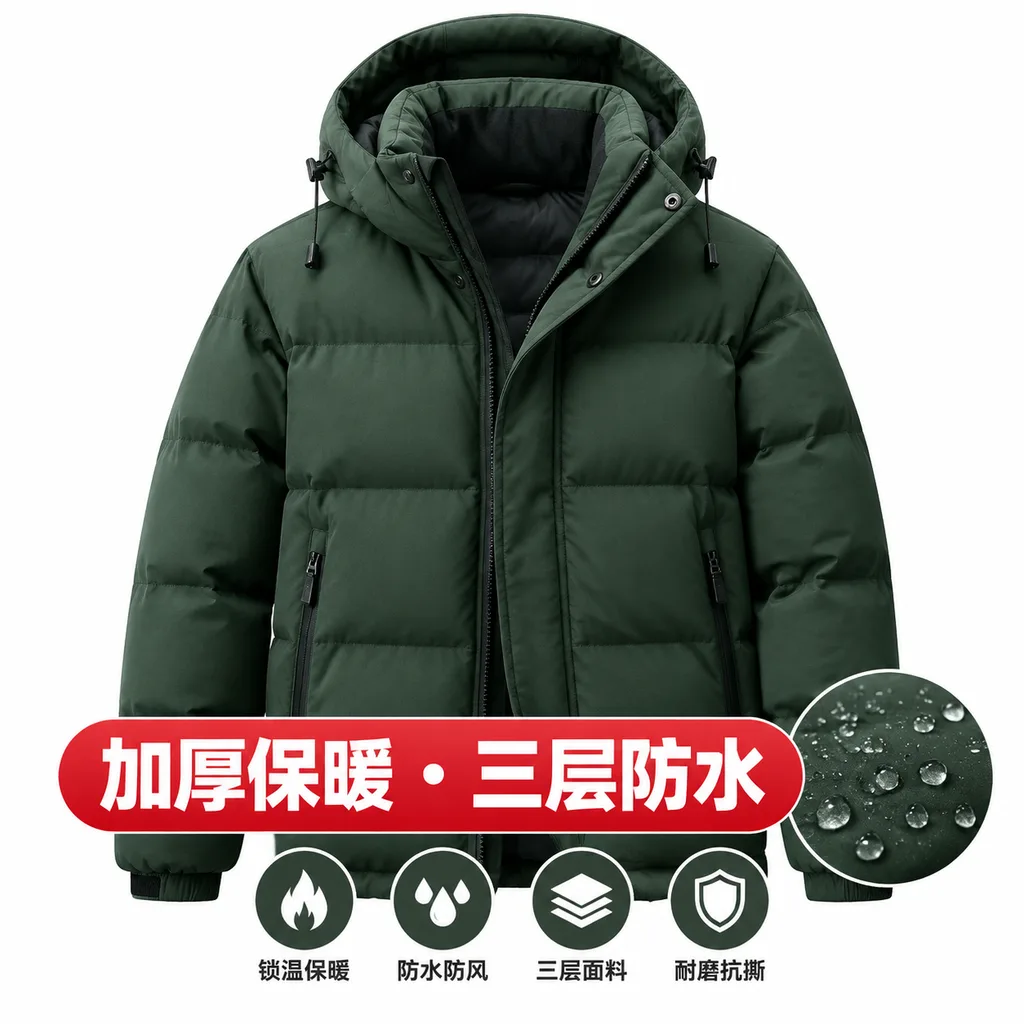
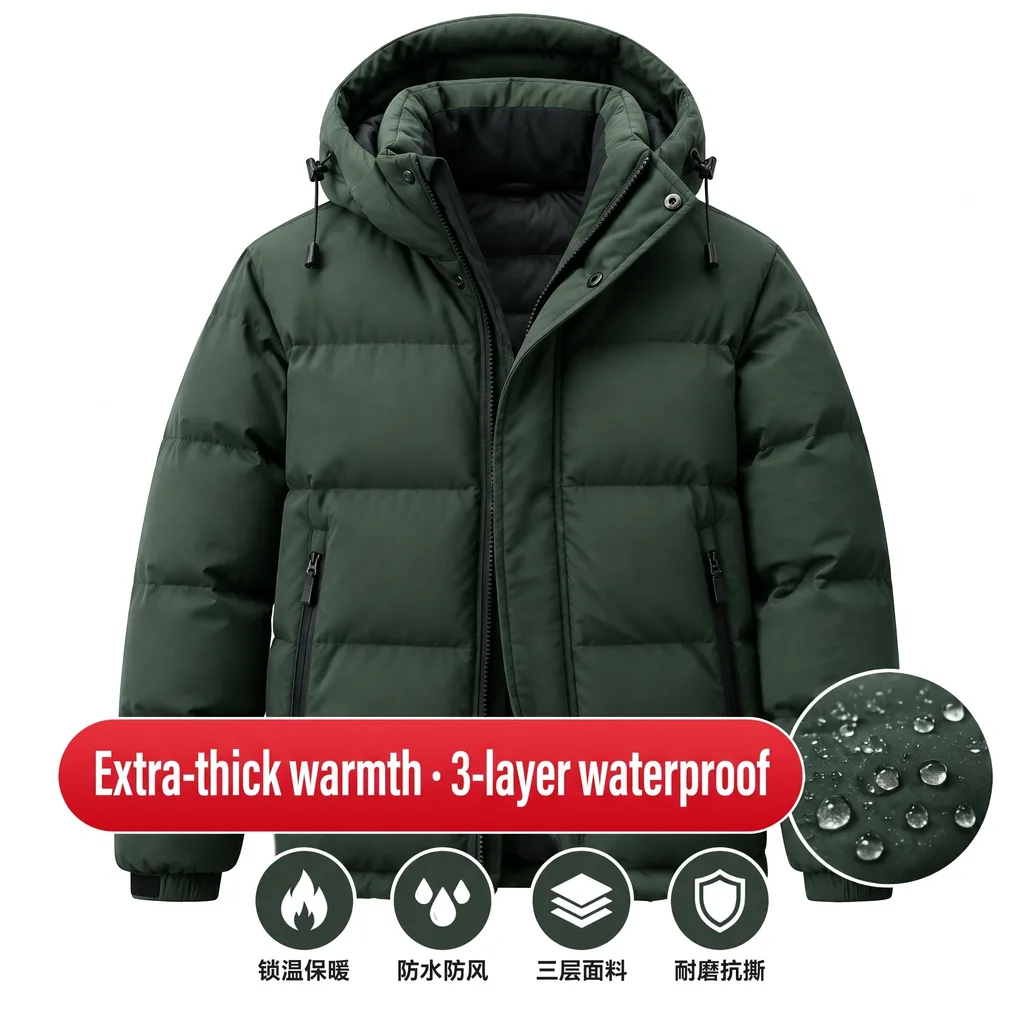
Translate Chinese supplier images to English — for your dropshipping listings
Your supplier on Taobao, 1688 or AliExpress sent product images with the specs, feature callouts and size charts baked into the picture in Chinese. Amazon and Shopify buyers won't read them. Instead of rebuilding each graphic in Photoshop, translate the product images directly: upload the supplier photo, pick English as the target language, and download. The product shot, background and layout stay identical — only the embedded text becomes English, so the listing image reads native to a US or EU customer. (You're responsible for having the right to edit and resell the image — see the note below.)
 Before
 After
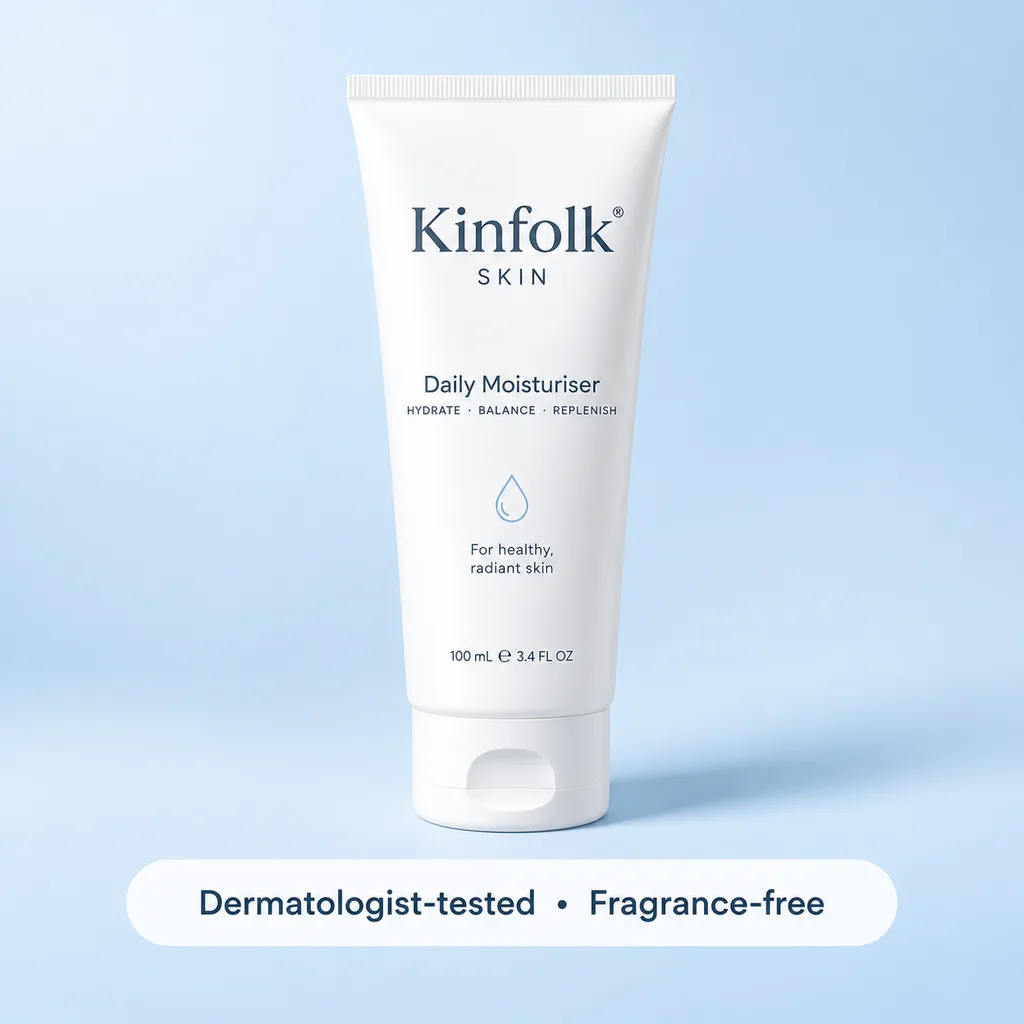
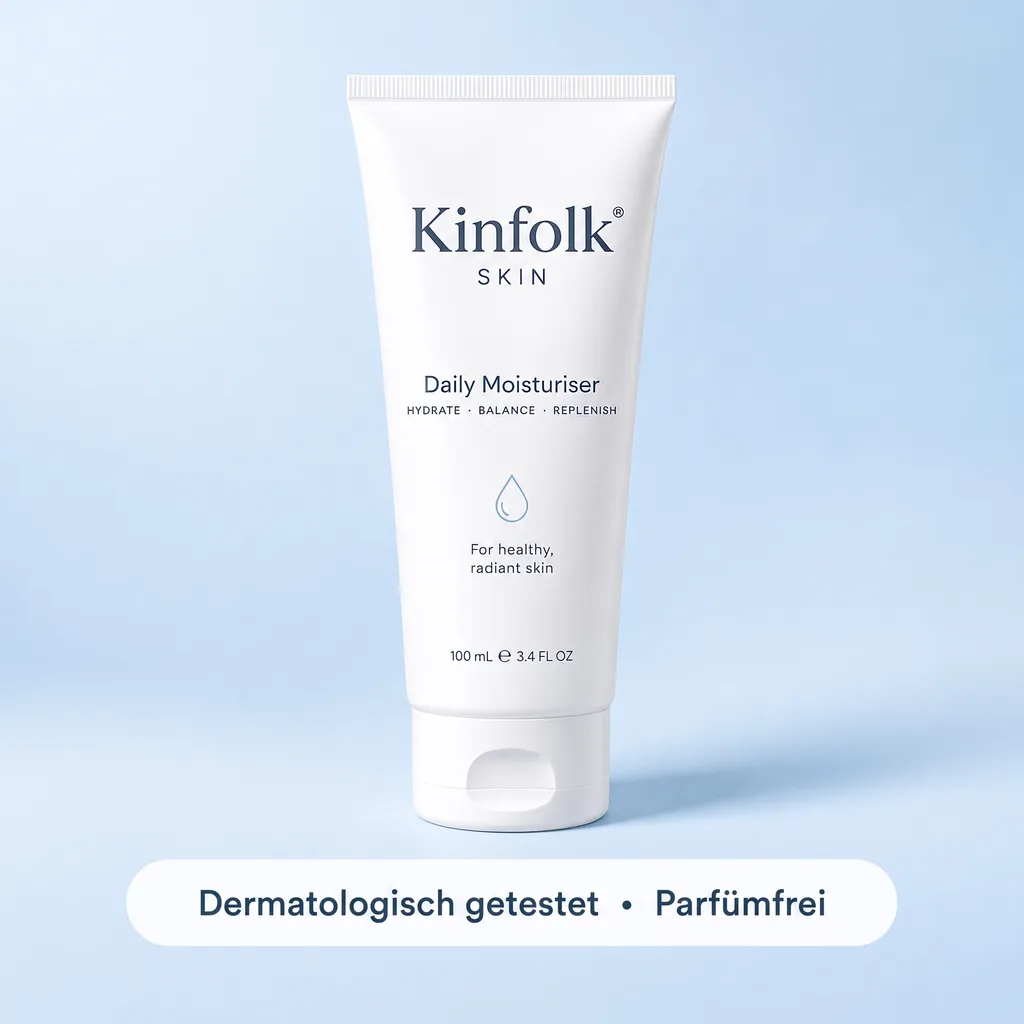
Translate Amazon listing images for Global Selling — same photo, new marketplace
Amazon's Build International Listings syncs your title and bullets across marketplaces, but it does not translate the text baked into your product images — the infographic with the ingredient list, the lifestyle shot with the tagline, the comparison chart. Translate the product images to match the marketplace: upload each image, pick German, French, Japanese or Spanish (or several at once), and download at the original aspect ratio. Your amazon.de and amazon.co.jp galleries finally read in the local language instead of leaving English text stranded on the photo.
 Before
 After
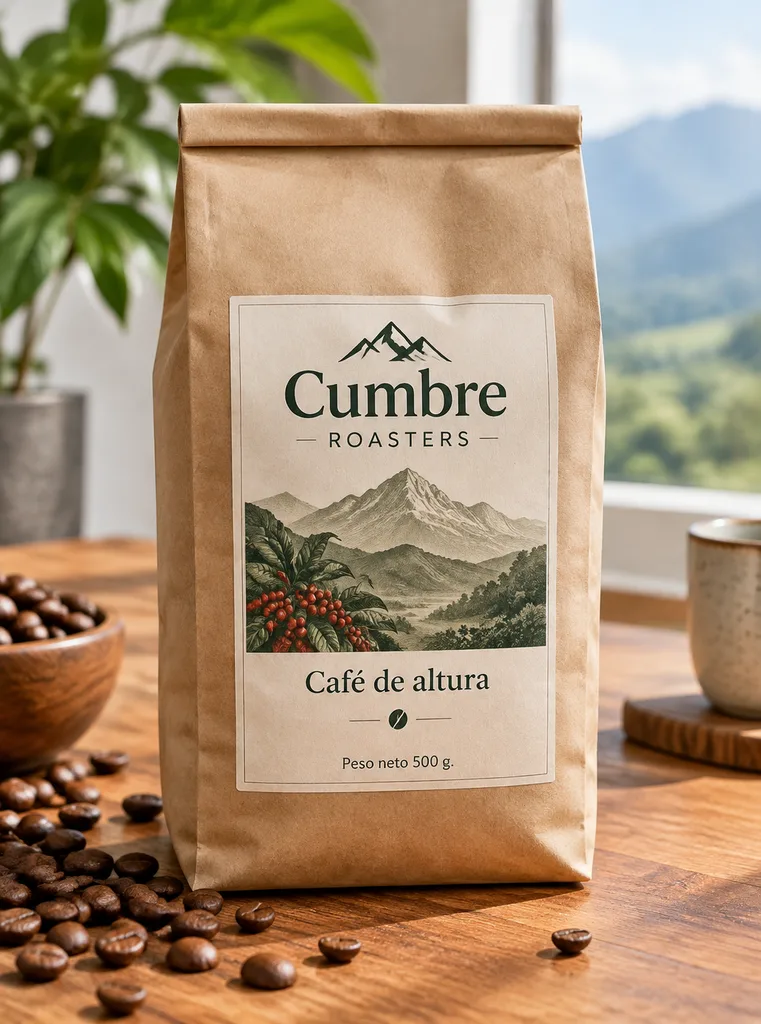
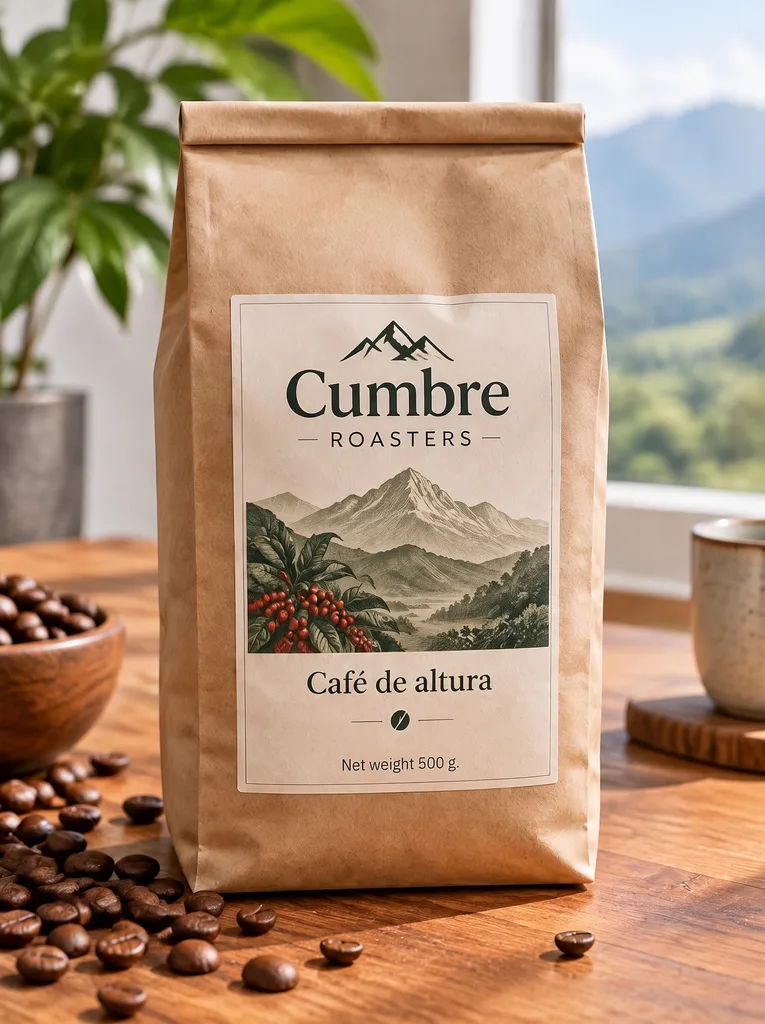
Translate product packaging photos for international customers — no reshoot
A wholesale buyer abroad wants your catalog, but the packaging photos show the label copy in your home language. Reshooting with translated packaging is weeks of work. Translate the product images on the shots you already have: the AI re-renders the label text — product name, net weight, key claims — in the same print style and curvature on the pack, so the photo looks like the export version. Regulated content (ingredients, safety and compliance warnings) remains the seller's responsibility to get right; this localizes marketing copy, not legal label compliance.
What does it mean to translate product images?
To translate product images is to localize the words rendered inside an ecommerce photo — the infographic callouts, the spec chart, the packaging label, the badge on a lifestyle shot — into another language, re-drawn in the same font, color and position. The AI samples the typography from the pixels, removes the original text, reconstructs the product or background behind it, and renders your translation in its place. The product photo is intended to remain visually consistent; only the language changes. This fills the gap the marketplaces leave: Compare the result with the original before publishing; AI can change surrounding details. Amazon’s and Shopify’s translation tools localize the listing text but never the words baked into your image files. It’s the ecommerce form of the same engine used to translate text in image — localize the copy, keep the product shot.
How to translate product images for a new marketplace
No design file, no reshoot — three steps per image, the same whether you’re localizing supplier images inbound or your own listing images outbound:
- 1.Upload the product image. A supplier photo, an Amazon infographic, a packaging shot — PNG, JPEG or WebP up to 10 MB. Use the highest resolution you have for small print.
- 2.Pick the target language. Choose one of the nine supported languages: English, Spanish, French, German, Portuguese, Simplified Chinese, Traditional Chinese, Japanese or Korean. Enter the original phrase first. Each generation translates that phrase into one language for 1 credit; repeat separately for other text or languages.
- 3.Check it and download. Review the translation and product details at full size, then check the final dimensions and aspect ratio against the marketplace requirements before uploading it.
Frequently asked questions
How do I translate Chinese supplier images to English?+
Upload the supplier image (from Taobao, 1688, AliExpress or a factory catalog), pick English as the target language and generate. You don't type anything: the AI reads the Chinese in the image, translates it, and re-renders the English in the same style as the original text and rebuilds the background behind it, so the specs, feature callouts and size charts read in English while the product photo itself is untouched. Note: only edit and resell images you have the right to use — sourcing an image from a supplier does not automatically grant that right.
How do I translate my Amazon listing images for Amazon Global Selling?+
Amazon's Build International Listings translates your title, bullets and description, but not the text embedded in your product images — so an infographic or lifestyle shot with English copy stays English on amazon.de or amazon.co.jp. Translate the product images separately: upload each image, pick the target marketplace's language, and download at the original aspect ratio. Do this for each image in the gallery, and your international listings finally read fully localized instead of leaving English text stranded on the photos.
Can I translate product images for Shopify, Etsy, eBay and AliExpress too?+
Yes — the tool is platform-agnostic. Whatever marketplace or storefront the image is destined for (Shopify, Etsy, eBay, Walmart, AliExpress, Temu, your own site), the workflow is the same: upload the product photo, pick the target language, download the localized image. Marketplace apps that offer 'translation' usually localize the listing text or display per-locale storefronts — they don't translate the words baked into your image files. That part still has to be done on the image, which is what this does.
Does the AI translate the text for me, or do I supply the translation?+
The AI translates the original phrase you supply into one selected target language. It does not translate every label automatically. Review claims, units, sizing, allergens and marketing tone before publication. Repeat for other phrases, or use Replace text with an exact reviewed translation. Regulated label wording should be checked by someone qualified to review it.
How is this different from Amazon's or Shopify's built-in translation?+
Those translate the listing — the title, bullets, description and, in Shopify's case, the storefront chrome per locale. None of them reach inside your image files. The infographic panel, the comparison chart, the 'Best Seller' badge, the tagline on the lifestyle shot — all of that is pixels, and it stays in the original language no matter how well the listing text is translated. Translating the product images is the missing step that makes the whole listing read native.
Will the product photo itself change when I translate the text?+
The model aims to preserve the product and background while translating the supplied phrase, but surrounding details may change. Inspect the product shape, label, lighting and colours before publishing. Curved packaging, fine print and complex backgrounds are harder cases. Use the original design file when exact reproduction or regulated label accuracy is required.
What about text on curved packaging or busy backgrounds?+
Flat label panels and clean infographic areas translate most cleanly. Curved surfaces (bottles, tubes, pouches) and text over busy product photography are harder but usually work in one pass; if a result looks off, a retry with the text region described more precisely fixes most cases. Very small print — the fine print of an ingredient list — is the hardest case and may need a higher-resolution source image.
Can I translate product images for free?+
Every new account receives one free credit for a Fast 1K edit. Each run translates one supplied phrase into one target language for 1 credit. Later edits use prepaid credits, and a paid pack unlocks Pro 2K. Translating that phrase into German and French requires two separate generations. Multiple labels require additional edits; there is no batch translation job.
What languages can I translate product images into?+
The language selector supports English, Spanish, French, German, Portuguese, Simplified Chinese, Traditional Chinese, Japanese and Korean. Choose one target language per generation and supply the original phrase. Review spelling, names, numbers and line breaks with a fluent speaker before publishing; visual and translation quality vary by image and script.
What file formats and resolutions are supported?+
PNG, JPEG and WebP up to 10 MB are supported. Fast uses the 1K tier; a paid credit pack enables Pro at 2K. Exact output dimensions depend on the image and provider, so verify them against marketplace requirements before publishing. Use a sharp source and review fine print, chart labels and product details at full size.
Is it legal to translate and resell supplier product images?+
Translating images you own or are licensed to use — your own product photography, images a supplier has granted you rights to use in your listings — is normal ecommerce localization. What's not okay: editing images you have no right to resell, or altering regulated label content (ingredients, safety warnings, certifications) in a way that misrepresents the product — that's the seller's legal responsibility. We also don't support removing watermarks or supplier branding. Responsibility for uploaded content sits with the uploader; see our Acceptable Use Policy.
how do i edit text in a png image for free?+
You can edit text in a PNG image for free using online tools that automatically maintain the original font and style. EditText is one such tool that works efficiently without requiring a download or subscription. To start, you simply upload your PNG image to EditText, which supports files up to 10 MB. It uses generative inpainting to replace the words while preserving the background seamlessly. Unlike manually editing in software like Photoshop, which can be more complex and require font matching, the tool uses the surrounding area to intelligently guess the text style. Another option is Pixlr, a free online photo editor that also allows text editing within images, though it may require more manual input to achieve the same font and style consistency. Pixlr offers a range of tools similar to traditional desktop software and supports layers and advanced editing. After editing, ensure to save your work in the PNG format to maintain transparency, which is a notable feature of PNG files thanks to their alpha channel preservation. This ensures no loss of quality or unwanted background when the edited image is used elsewhere.
how do i edit text in a jpg image online for free?+
Editing text in a JPG image online for free is possible using tools like EditText and Photopea, which allow you to modify text without downloading any software. The tool offers an easy-to-use web interface where you can upload your JPG file, and it automatically detects and replaces text while preserving the original font, color, size, and background. This tool uses generative inpainting, a process that fills in text areas by sampling the surrounding pixels and ensuring that the edited text blends seamlessly with the existing image structure. The result is a high-quality edit without obvious signs of alteration. Photopea, on the other hand, simulates many of Photoshop’s features online, allowing for more manual control but requiring a bit more design skill to match font styles manually. The tool is more automated and outputs 2K results within about 30 to 60 seconds, making it ideal if you need quick and consistent edits. Both tools are free, but Photopea may require you to deal with ads unless you opt for a paid version. If you intend to further edit the image, consider saving it in PNG format to avoid lossy JPEG recompression artifacts.
is there a free tool to edit text in jpg?+
Yes, there are several free tools available to edit text in a JPG, including EditText and Pixlr. The tool is particularly designed for this task, ensuring the edited text matches the original in font, color, and size. The tool works efficiently on images up to 10 MB and handles text editing in JPG, PNG, and WebP formats, producing results with a 2K resolution in roughly 30 to 60 seconds. This service automatically samples the original text's properties and applies them to the new text using bounding-box-conditioned generation, which keeps the look consistent. Pixlr is another viable free online editor that provides a more generalized suite of editing features. It allows you to add and edit text in images but might require you to manually adjust font settings to match the original. Canva can also be used for editing text in images; however, it may not perfectly replicate the original text style unless you spend additional time customizing fonts and colors. For optimal outcomes, especially when further edits are possible, consider using PNG when saving your images. This ensures the text and other visual elements retain their clarity, avoiding the degradation caused by lossy JPEG recompression artifacts.
what's the best free tool to edit text in a png image for a menu?+
For editing text in a PNG image for a menu, tools like EditText and Pixlr offer free and effective solutions. The tool specializes in maintaining the original text style, making it ideal for editing menu images where font consistency is crucial. The tool processes PNGs up to 10 MB and uses generative inpainting methods to fill in the gaps left by the original text, matching the surrounding text's font, color, and size. It’s particularly advantageous for users looking to make edits quickly without needing to download software. Pixlr, another free option, provides a more traditional photo-editing interface that allows you to edit text manually. While it requires more manual work to match fonts and styles, Pixlr gives you more flexibility to make additional image edits such as adjusting lighting or adding effects. Both tools operate online, so there's no need for installation, making them accessible from any internet-connected device. After editing, save your menu image in PNG format to preserve alpha channel transparency, which is important for high-quality print outputs. For larger edits or high-resolution outputs, consider the 2K resolution capability of the tool, which can be a distinguishing feature for quality finishes.
how to edit text in a jpg without photoshop?+
To edit text in a JPG without Photoshop, you can use online tools that allow for text manipulation while preserving the image's original aesthetic. EditText is one such tool that achieves this by utilizing generative inpainting to seamlessly integrate the new text into the existing image structure. Generative inpainting works by sampling the surrounding area of the text to be edited, allowing the AI to intelligently determine how to fill in any gaps that might appear after the text is altered. This means the new text will blend into the image without leaving visible artifacts or mismatches. The tool allows users to upload images up to 10 MB and returns results in 2K resolution, typically within one phrase at a time. For those looking for alternative methods, tools like Photopea offer similar functionalities. Photopea is essentially a browser-based app that mimics Photoshop in many aspects and supports JPG editing with layers. However, it might require more manual work to achieve the same seamless integration as the tool, especially for maintaining font consistency. When using these tools, saving your final image as a PNG rather than saving over the original JPG can help avoid lossy compression artifacts, which degrade image quality with each edit and save cycle. This is particularly important if you expect to make further edits or need to maintain high visual fidelity.
“What's the best way to translate the text baked into product images for Amazon and Shopify listings?”
Same-language edits rather than translation — change a price, a promo line or a spec on a product photo while the shot is intended to remain visually consistent. The companion to localizing it.
The general tool behind this page — localize any image, not just product photos: menus, banners, posters and signs, with the original font and layout preserved.
The app-developer version: localize finished App Store & Google Play screenshots at the exact per-locale dimensions Apple requires, no template or source file.
Further reading
- Amazon — Sell GloballyAmazon Global Selling↗
Amazon's overview of listing and selling across international marketplaces, including what Build International Listings syncs (title, bullets, description) — and, by omission, what it doesn't: the text baked into your product images, which this page addresses.
- SmartlingLabel & packaging translation↗
A localization-industry primer on translating product labels and packaging for international markets, including where regulated content (ingredients, warnings) is the seller's legal responsibility — useful context for what to localize as marketing copy versus what needs compliant translation.
- WeglotEcommerce translation & localization↗
A practical guide to localizing an online store across languages and why visual assets, not just text, need translating to convert international shoppers — background for prioritizing which product images to localize first.
Ready to translate your product images?
Upload one product image, enter the phrase and choose a supported language. Review the result before listing it — one free credit for new accounts, no card required.
Only edit product images you own or are licensed to resell, keep regulated label content (ingredients, safety warnings) accurate, and don’t remove watermarks or third-party branding. Copyright and accuracy responsibility stays with the uploader. See our Acceptable Use Policy.